
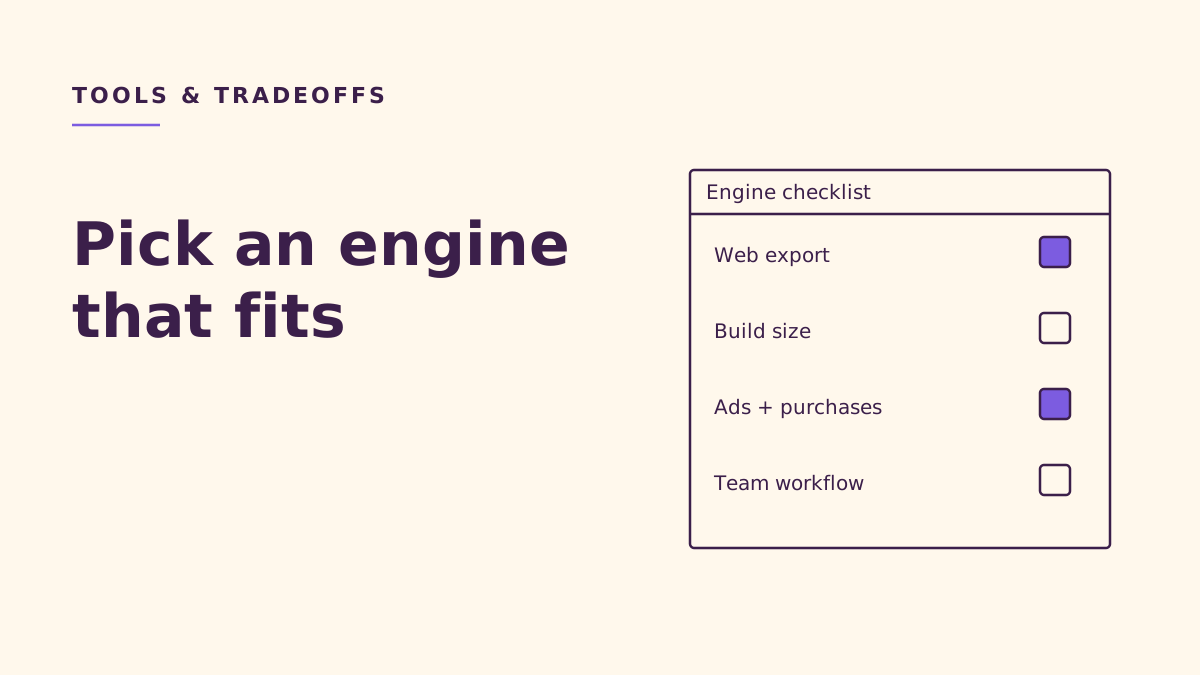
The best game engine for casual mobile and web games is the one that can deliver your actual gameplay, monetization, and loading requirements on every intended platform. For a small studio, shortlist Unity for an editor-led mobile or spatial game, Godot, Cocos Creator, Defold, or GameMaker for a focused cross-platform project, and Phaser or three.js when the browser is the primary destination. Choose through a representative release prototype rather than an engine popularity contest.
Key takeaways
- Test native mobile builds and the hosted browser version before committing to production.
- Unity’s canceled Runtime Fee is separate from its current seat pricing and financial eligibility rules.
- Web export support does not guarantee compatibility with your language, renderer, ads, or hosting setup.
- Compare finished loading paths and SDK integrations; empty-project sizes cannot settle the decision.
- Choose a workflow your team can maintain, including level editing and platform updates.
What should a small casual game studio optimize for?
At NabiGame Studio in Da Nang, our perspective comes from making cozy casual puzzle and arcade games for iOS, Android, and the web. Our recommendation is to start with the player’s journey: opening a link, touching a piece, understanding the board, and returning to a saved game. An attractive editor matters only if the release can support that journey.
Use a merge puzzle such as Juice Fruit as a design reference for touch input, board readability, and satisfying movement. A spatial game such as Crazy Football suggests different questions about cameras, collision, and animated objects. These are examples of requirements, not claims about which engines those games use.
Our rule of thumb is to separate hard constraints from preferences. A required advertising integration, browser portal, or store purchase flow can eliminate a candidate. A familiar interface or pleasing scripting language should help decide among candidates that already pass. Write those constraints down before downloading another editor.
How should you compare the engines?
The following shortlist is our assessment of useful starting points, not a benchmark ranking. Use it to choose candidates for a practical export test.
- Unity: investigate when a visual editor, spatial gameplay, and mobile integrations are central; budget seats and prove the web release early.
- Godot: investigate when engine ownership and a scene-based workflow matter; check the web language and renderer restrictions.
- Cocos Creator: investigate when you want an editor with TypeScript and native plus browser publishing.
- Defold: investigate for a focused casual game with Lua logic; verify extension maintenance and the content-authoring workflow.
- Phaser: investigate for a browser-first flat game with JavaScript or TypeScript; treat mobile packaging as another integration project.
- three.js: investigate for browser-first spatial rendering when you can own the surrounding game systems.
- GameMaker: investigate when its authoring workflow fits the team; distinguish free non-commercial use from commercial licensing.
Unity: what happened to the Runtime Fee?
Unity canceled the Runtime Fee in 2024 and removed the related terms. Its current pricing FAQ makes the historical outcome explicit:
“No new or existing Unity games have been, or will be, subject to the Runtime Fee.”
— Unity, Unity pricing FAQ
For 2026, Unity lists Personal as free and Pro at US$2,310 per seat prepaid yearly, or US$210 per seat paid monthly. Regional taxes, currency, and rounding can change checkout amounts. Do not carry an old subscription figure into a new budget.
The 2026 Editor Software Terms set Personal eligibility at no more than US$200,000 in Total Finances over the most recent twelve-month period. For an entity making its own games, that includes aggregate gross revenue and funding; services for clients have a different calculation. Review the actual definition rather than substituting a single game’s profit.
The same terms grant royalty-free runtime distribution for the covered released versions, conditional on subscription fees and tier eligibility. Unity also presents tools for both flat and spatial game development. Our recommendation is to evaluate it when editor tooling can remove substantial production work, while proving the browser build and required SDKs before adopting it.
Godot: can a mobile project also reach browsers?
Godot is MIT-licensed free and open source software, with copyright and license notice obligations when distributing the engine. Its official export guides cover Android and iOS; the latter requires macOS with Xcode. Those export paths are starting points, not evidence that every plugin is portable.
“Projects written in C# using Godot 4 currently cannot be exported to the web.”
— Godot Engine, Web export documentation
For a Godot 4.x project assessed in 2026, that is a decisive language constraint. The current web guide also requires WebAssembly and WebGL 2.0 with the Compatibility renderer. It documents single-threaded export as the preferred default and says it works on macOS and iOS; older blanket claims that Godot web exports cannot run there are misleading. Threaded exports introduce hosting and cross-origin isolation requirements.
Our recommendation is to prototype the browser version alongside the native game. Test sound after a player gesture, save recovery, touch dragging, and the actual embedding page. Keep web-specific compromises visible to designers so effects and interactions remain deliberate.
Cocos Creator: does TypeScript suit your team?
Cocos Creator’s product page describes an open-source engine with an editor, TypeScript scripting, and flat and spatial content support. Its current publishing documentation lists iOS, Android, mobile web, and desktop web among supported platforms. This makes it worth testing when the team wants browser-oriented programming without abandoning visual scene authoring.
Our recommendation is to inspect the exact native bridge needed for your commercial services. A browser integration and a native integration should each have a clear owner. Evaluate how an artist adjusts a board layout or animation without needing a programmer to repair generated files.
Defold: what does its focused workflow offer?
“No hidden costs, fees or royalties. Just free.”
— Defold Foundation, Defold FAQ
Defold’s introduction identifies Lua as its logic language. Its product overview covers mobile and HTML5 workflows plus external SDK extensions. The FAQ describes a flat-game-oriented toolset, while the current product page also lists a spatial scene editor. Assess the current editor directly rather than treating either description as a complete workflow comparison.
For a compact puzzle or arcade project, we would assess Defold’s workflow before assuming a larger toolset is necessary. Its extension documentation includes an iOS and Android purchase extension example. Check the selected extension’s current compatibility, documentation, and maintenance; an example integration is not a guarantee for your complete monetization stack.
Phaser and three.js: when should the web come first?
“Phaser is an HTML5 game framework designed specifically for web browsers.”
— Phaser, Phaser documentation
The same documentation describes Phaser as a flat-game framework using JavaScript or TypeScript, with native packaging through third-party tools. We would shortlist it for a browser-first puzzle whose surrounding website matters as much as the canvas. Include the wrapper and native SDK work when estimating an eventual store release.
“Three.js is a 3D library.”
— three.js, Making a Game
The three.js guide says collision, physics, input systems, and pathfinding must come from elsewhere. Our recommendation is to use it when a browser-first spatial game has a deliberately limited scope and the team can maintain those systems. A lovely scene is only part of a complete arcade game.
GameMaker: what does the commercial license cover?
“GameMaker is absolutely free to download and keep forever for non-commercial use.”
— GameMaker, GameMaker pricing
As checked in 2026, the same page lists a US$99.99 commercial license, describes Professional as a one-time purchase, and includes web and mobile exports. Console exports belong to Enterprise. Our recommendation is to test GameMaker when its authoring approach helps your team finish levels and tune interactions, then verify every commercial extension before building the production plan around it.
How do you test build size, ads, and purchases fairly?
Measure the playable release, not an empty scene
Our preferred comparison would use identical representative content: a playable board, real textures, music, menus, saved progress, and the intended service integrations. Record the engine version, release configuration, compression, and target device with every measurement. Compare native package size separately from installed size, and browser download separately from cached startup.
For web, follow the whole path from opening the page to making a valid move. Test a fresh load on a constrained connection and inspect which assets block interaction. Also test returning with a warm cache. A smaller archive can still feel slow if the game waits for unnecessary content or initializes everything before showing the board.
Make monetization an early acceptance test
We recommend checking vendor support for the exact engine release, target platform, and plugin combination. Exercise rewarded-ad completion, cancellation, unavailable inventory, and return from background. For purchases, test pending transactions, restoration where applicable, and loss of connectivity. The acceptance criterion is correct gameplay state after each outcome.
Keep platform services behind narrow interfaces so the puzzle logic does not depend on a particular advertising provider. Browser portals may need their own lifecycle callbacks and payment interfaces; ask for those requirements before designing the wrapper. Our distribution guide provides a useful companion when defining release destinations.
What belongs on the final decision checklist?
- Define destinations. Name the stores, browsers, portals, orientation, and target devices. Decide whether web is a full game or a smaller experience.
- Export representative gameplay. Include input, feedback, persistence, and the most demanding scene. Use the real hosting environment.
- Prove commercial integrations. Document SDK versions, supported platforms, failure handling, and who maintains the bridge.
- Review authoring and hiring. Ask a prospective teammate to edit a level, diagnose a bug, and produce a build. Evaluate actual candidates rather than assuming local talent availability from global engine popularity.
- Budget ownership. Include licenses, extension work, build tooling, onboarding, and platform maintenance. Preserve the terms and pricing used for the decision.
- Write the decision. Record the chosen engine, unresolved risks, alternatives, and the evidence that would justify reconsidering it.
Our rule of thumb is to favor the engine that makes ordinary production work understandable. A beautiful prototype is less persuasive than a teammate being able to fix a level and reproduce a release. Combine this checklist with our puzzle design guide, explore our game development services, or talk with NabiGame about the constraints of your next casual game.
FAQ
What is the best engine for a casual game?
There is no universal winner. Our recommendation is to select candidates from your gameplay, distribution, and SDK requirements, then compare representative exports. Let maintenance and authoring quality decide among engines that pass.
Does Unity still charge a Runtime Fee?
No: Unity’s current pricing FAQ says it was canceled and was not implemented. Subscription costs and financial eligibility still apply. Read the current terms when planning your release.
Can Godot publish the same project to mobile and web?
Godot documents native mobile and browser export paths, but the web target has language and renderer constraints. In particular, the current Godot web documentation excludes C# projects in the Godot 4 series. Test the intended language and plugins before committing.
Should a browser-first puzzle use Phaser?
We would put Phaser on the shortlist when JavaScript or TypeScript fits the team and the game uses flat gameplay. Its documentation makes the browser its primary focus. Include third-party packaging and native integrations if store releases are also required.
Which engine produces the smallest build?
This guide does not assign a universal size winner. Our recommendation is to measure equivalent release content with the required SDKs and compression settings. Measure time to playable interaction as well as bytes.
Sources
- Unity cancellation and terms history
- Unity pricing and Runtime Fee FAQ
- Unity Editor Software Terms
- Unity Engine overview
- Godot license
- Godot Android export
- Godot iOS export
- Godot web export
- Cocos Creator overview
- Cocos publishing platforms
- Defold FAQ
- Defold introduction
- Defold product overview
- Defold native extensions
- Phaser documentation
- three.js game guide
- GameMaker pricing
Comments
Loading comments…