
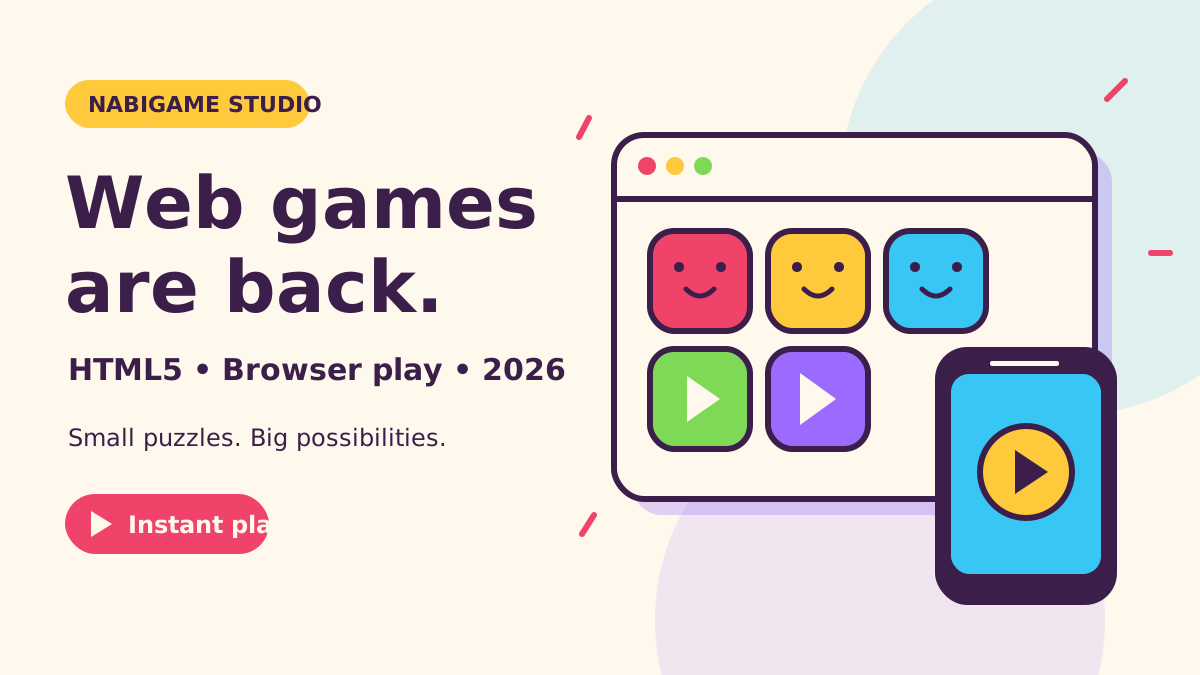
HTML5 browser games deserve a fresh look in 2026 because they combine link-based play with increasingly capable graphics, established portal publishing, and optional app-like installation. For a small studio, the practical opportunity is to make a game easy to try, quick to load, and comfortable on a phone; a newer graphics API alone will not deliver that experience.
Key takeaways
- Instant play is a design goal: prioritize the first playable interaction over a large upfront download.
- Choose an engine around the game: validate browser export and portal integration before committing production effort.
- Keep a graphics fallback: broad WebGPU browser support does not guarantee support on every device.
- Separate discovery, commerce, and return visits: portals, web shops, and PWAs solve different problems.
- Design monetization around pauses: handle unavailable ads as carefully as completed ads.
Why are web games back in the conversation?
The strongest argument is a combination of capabilities, rather than a claim that every browser-game business is growing. Google reported WebGPU support across Chrome, Edge, Firefox, and Safari in its 2025 browser milestone announcement. CrazyGames documents a route from limited testing to a monetized release, while web-shop providers document browser-based commerce. Together, these give developers several concrete reasons to consider the web.
For cozy puzzles and arcade games, we think the appeal starts earlier than graphics: send someone a link and let the game explain itself through play. Our rule of thumb is to remove account creation and unnecessary menus from the opening unless the game truly needs them. A playable board, a clear gesture, and an inviting response make a stronger introduction than a feature list.
Our Juice Fruit web build and browser demos offer places to explore that idea. The parallax platformer demo shows movement and layered scenery, while our trails and particles demo explores visual feedback. These are examples of web play and experimentation, not evidence of a particular commercial outcome.
Should you use WebGPU or WebGL?
WebGPU offers modern graphics capabilities and GPU computation, as described in Google's announcement. However, the PlayCanvas browser matrix still distinguishes operating systems and hardware. Treat browser support as a starting point for testing, not a promise that every phone visiting your game can run the same rendering path.
For a simple puzzle, our recommendation is to start with the renderer your chosen engine supports reliably. Reserve more ambitious effects for devices that can sustain them. If a decorative effect requires a capability unavailable on the fallback path, replace the effect rather than making the puzzle inaccessible.
“By default, the renderer tries to use a WebGPU backend if the browser supports WebGPU.”
— three.js, WebGPURenderer documentation
The same documentation describes a WebGL fallback. That is useful, but we recommend testing both paths deliberately: a fallback renderer does not prove your materials, effects, and performance budget behave identically. Keep the rules, controls, and visual meaning consistent even when lighting or particles become simpler.
Which engine fits your browser game?
Build a small playable slice before comparing editor screenshots. Include the opening scene, touch input, a save, and a mock ad break. Our suggested comparison below focuses on workflow and what to validate; the preferred tool depends on your existing code and the experience you want to ship.
- Phaser: consider it for a browser-first sprite puzzle or arcade project. Its official introductory tutorial demonstrates browser-focused setup and automatic WebGL-to-Canvas selection. Validate the renderer behavior in the specific release you use, rather than assuming every release follows an older tutorial.
- three.js: consider it when you want direct control over a rendered scene and are comfortable assembling gameplay systems. Its renderer documentation explains backend selection. Prototype your materials and loading flow alongside the scene, rather than postponing them until the art looks finished.
- PlayCanvas: consider it for a scene-based browser project. Its engine documentation describes WebGL rendering by default and requesting WebGPU with fallback. Test the requested configuration and your actual mobile audience.
- Godot: consider it if its editor and scripting workflow suit your team. The web export guide specifies the Compatibility renderer and explains single-threaded export. Check language support and hosting requirements before assuming an existing native project will transfer.
- Unity: consider it when reusing an existing project or team expertise. Its current browser compatibility guide includes mobile support. Separately, CrazyGames' technical requirements describe restrictions on Unity games on iOS, illustrating why engine support and publisher acceptance need separate checks.
- Cocos Creator: consider it for a project intended to span native, web, and mini-game targets. Its publishing guide describes native and web cores. Validate the web bundle, SDK bridge, and touch layout early.
“It was created specifically to harness the benefits of modern browsers, both desktop and mobile.”
— Phaser, Official introductory tutorial
Export limitations can outweigh familiarity. Godot's current guide makes this especially clear:
“Projects written in C# using Godot 4 currently cannot be exported to the web.”
— Godot Engine, Web export documentation
This compatibility constraint was checked in 2026. Recheck the guide when choosing your release. For broader planning, our game distribution guide can help connect the technical choice with the intended destination.
How do you make mobile browser games load quickly?
Measure time to meaningful play, not just time until a loading screen appears. CrazyGames states the reason plainly:
“A key factor of a web game's success is the time it takes for a user to start playing.”
— CrazyGames, Technical requirements
In the requirements checked in 2026, CrazyGames sets an initial-download ceiling of 50MB, or 20MB for mobile-homepage eligibility. Those are publisher limits, not recommended targets or guarantees of a good loading experience. With SDK integration, the measurement runs to the gameplay-start event, excluding a menu that still precedes loading.
- Define the playable minimum. Load the board, essential controls, and assets needed to finish the opening challenge. Defer later environments, optional cosmetics, and long music tracks. Make the opening complete enough that the player never waits for an asset needed to understand the rules.
- Inspect the delivered files. Check actual transfer sizes on the production host. Godot's export guide recommends server compression and the correct WebAssembly content type. Verify those settings rather than judging speed from an editor preview or a warmed local cache.
- Separate download from initialization. Record when files finish arriving, when the engine becomes ready, and when input works. If initialization dominates, try removing unused features or simplifying the opening scene before compressing already-small artwork again.
- Test a cold visit and a return visit. Use a real phone, a constrained connection, and the intended portal frame. Keep a loading indicator honest, offer a retry after failure, and check whether the player can resume after backgrounding the browser.
- Repeat after integration. Test the final SDK, analytics, and consent flow together. Keep optional systems from blocking the opening when they fail. Only report gameplay start when the player can actually play.
What should you optimize after loading?
Our recommended order is input reliability, memory, sustained frame pacing, and then decorative polish. Try reducing internal rendering resolution while keeping controls and text legible. Compare a simpler scene with the original on the same phone; that experiment is more useful than choosing a graphics API by reputation.
For particles, begin with small effects and reuse objects where practical. Our trails demo discusses pooling and pixel-ratio limits, making it a useful companion experiment. Treat its implementation as something to inspect and adapt, rather than a universal budget for every game.
Include interruption tests in the acceptance checklist: switch apps, rotate the device, return during a level transition, and finish an ad. CrazyGames documents interrupted audio on iOS and restoring playback through a user gesture. Plan an understandable resume interaction and preserve the board before introducing more effects. We would also check that dragging a piece does not accidentally scroll the host page.
How do portals monetize browser games?
CrazyGames' publishing documentation distinguishes Basic Launch, where monetization is disabled, from Full Launch, where monetization and revenue sharing are enabled. It also limits in-game purchases to selected games. Publishing a build therefore does not mean every monetization feature immediately becomes available.
“Only Ads requested through the CrazyGames SDK are allowed.”
— CrazyGames, Advertisement requirements
For a cozy puzzle, we recommend offering an optional hint or retry at a clear decision point. Explain the reward before requesting the ad. Place interstitial requests at genuine breaks, such as after the results screen; the portal's requirements prohibit interrupting gameplay and deceptive triggers.
Implement the entire ad lifecycle. Pause input while requesting or showing the ad, grant the promised reward only after successful completion, and recover cleanly after an error. The video-ad documentation explicitly covers unfilled ads and error callbacks. Test that path without an available ad, including during a monetization-disabled launch.
Our rule of thumb is to review terms, exclusivity, payment conditions, and permitted destinations before adapting a build. Avoid projecting income from someone else's traffic or an assumed revenue split. A useful initial evaluation asks whether visitors reach gameplay, understand the loop, and choose to return.
Where do web shops and PWAs fit?
A web shop is a commerce destination; it does not require your mobile game itself to run in the browser. Xsolla's current setup guide describes browser-based mobile-game monetization and configuration for authentication, catalogs, and webhook handling. We recommend treating a shop as its own product task, including purchase fulfillment and support, rather than adding checkout merely because a browser build exists.
A Progressive Web App adds an optional installed experience. Google's overview describes its place between web reach and app capabilities:
“A Progressive Web App includes features from both worlds.”
— Google, web.dev PWA guide
For a puzzle, our suggested use is an easy return route plus deliberately designed offline play. Godot's PWA documentation explains service-worker caching and warns that cached data can be evicted. Offer an offline message, test updates, and distinguish local progress from account-backed saves. Ask for installation after the player finds value in returning.
From NabiGame Studio's perspective, the most promising web project is one whose opening already feels pleasant and complete. Explore our game development services if you are planning that experience, or tell us about your browser-game idea when you are ready to discuss its scope.
FAQ
Does a browser puzzle need WebGPU?
No: choose a renderer that fits the game and its target devices. We recommend proving input, loading, and visual clarity first, then adding effects where testing supports them.
Can an existing native game become a web game?
Potentially, but export support is only the beginning. Check the engine's language and renderer constraints, then test hosting, saves, touch controls, and the publisher's requirements with a playable slice.
Does uploading to a portal immediately earn revenue?
Not necessarily. CrazyGames distinguishes a monetization-disabled Basic Launch from a monetized Full Launch; use the publisher's current process and your agreement when planning revenue.
Will a PWA work offline automatically?
Plan and test which assets and game functions remain available offline. Cached files can be evicted, and online services still need a connection, so installation alone is not an offline-play guarantee.
Should a small studio start with a portal or its own website?
We recommend choosing based on the immediate question you need to answer. An owned demo helps present the game directly, while a portal introduces publisher requirements and a platform audience; validate the same playable opening in either case.
Sources
- Google: WebGPU browser milestone, 2025
- PlayCanvas: supported browsers and rendering backends
- three.js: WebGPURenderer
- Phaser: introductory tutorial
- Godot: exporting for the web
- Unity: web browser compatibility
- Cocos Creator: publishing platforms
- CrazyGames: technical requirements, checked in 2026
- CrazyGames: publishing and launch process
- CrazyGames: advertisement requirements
- CrazyGames: video-ad callbacks
- Xsolla: creating a mobile-game web shop
- Google: Progressive Web Apps overview

Comments
Loading comments…