
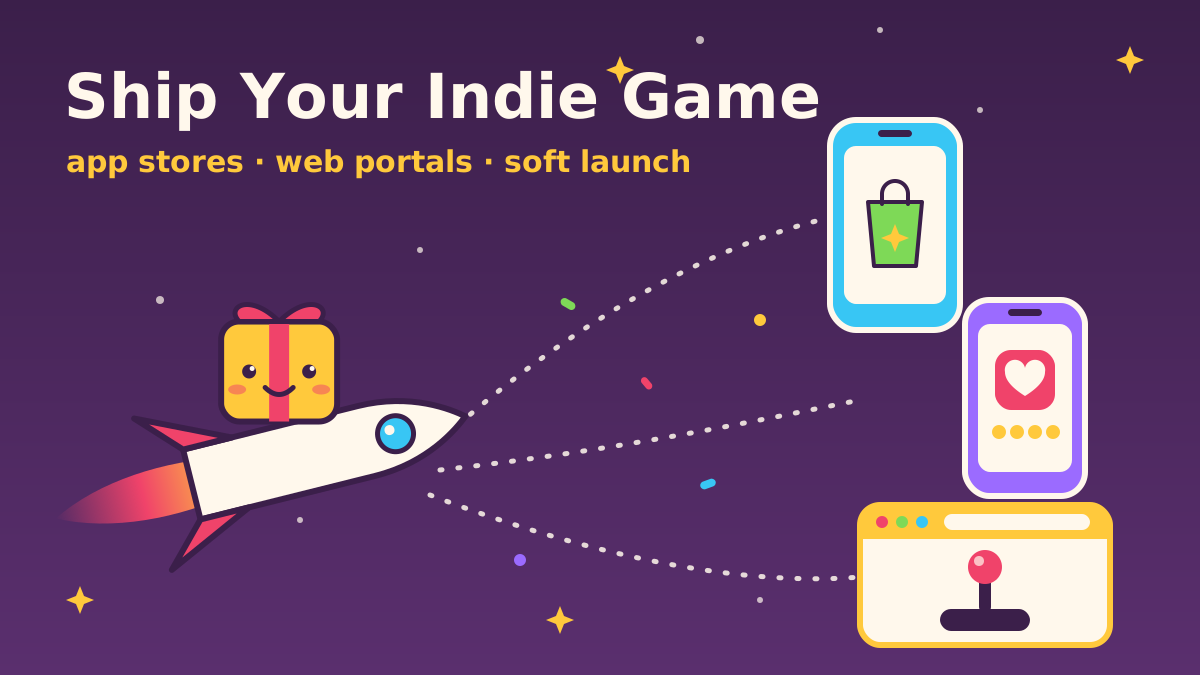
To distribute an indie mobile and web game in 2026, ship one build to three kinds of channels: Google Play (internal, closed and production tracks in Play Console), the Apple App Store (TestFlight and App Review in App Store Connect), and a curated web portal such as Poki or CrazyGames, with itch.io as an open home base. Soft launch in a few markets first, fix crashes and retention, then go global with a store listing you have already tested.
We are NabiGame Studio, a small team in Da Nang making cozy puzzle and arcade games for iOS, Android and the web. This is the checklist we wish we had for our first Google Play releases.
- New personal Google Play accounts must run a closed test with at least 12 testers for 14 continuous days before applying for production access.
- Apple reviews every build, including your first external TestFlight build, and expects a finished game with working URLs.
- Web portals are curated: Poki and CrazyGames test games with real players and enforce strict technical rules.
- Soft launch in a handful of markets to check stability and retention before a global launch.
- Privacy forms and account deletion are required on both stores, and kids' audiences add more rules.

Which distribution channels should an indie game use?
Each channel rewards a different kind of game and a different amount of work:
- Google Play: the widest Android reach, fast updates, flexible testing tracks and built-in listing experiments. The catch for new solo accounts is the mandatory closed test.
- Apple App Store: valuable players and a thorough review. Slower iteration, and you need an Apple Developer Program membership.
- Poki: curated web portal that runs ads for you. Strict technical rules, no in-app purchases, staged player testing.
- CrazyGames: curated web portal with a two-step launch, so you can go live before integrating their SDK.
- itch.io: open upload with no curation gate. Ideal for jams, demos and community building.
- Newgrounds: long-running community portal. Great for honest feedback, less so for steady income.
- GameDistribution: syndicates HTML5 games to many publisher sites through one SDK. Wide reach, little control.
- Steam: the PC default. Worth it only if your game has depth on mouse, keyboard or controller.
- Instant and social platforms: Telegram Mini Apps and Facebook Instant Games. Interesting for social puzzle games, but rules change often.
Our opinion: start with one mobile store and one web channel, not all nine. Every extra channel adds an SDK, a build variant, a review queue and a support inbox.
How do you publish a game on Google Play?
Everything happens in Play Console. You create the app, fill in the store listing, complete the policy declarations (content rating, target audience, ads, Data safety), upload an Android App Bundle and release it to a track: internal testing, closed testing, open testing or production. Google says an internal test can have up to 100 testers per app, which is the right size for your team and friends.
The closed testing requirement for new personal accounts
“Developers with personal accounts created after November 13, 2023, must run a closed test for their app with a minimum of 12 testers who have been opted in continuously for at least 14 days.”
— Google Play Console Help, App testing requirements for new personal developer accounts
As of 2026, the same page says testers who opt out early do not count, and the 14 days must be consecutive. Recruit more than 12 people, because some will drop out, and give them a reason to come back every few days.
Our older titles such as Jewels Miner, Marble Legend and Word Cross Search reached Google Play before this rule existed. Looking back, a forced two-week closed test would have helped: the bugs players reported were almost always on low-memory phones we never tested.
How do you submit a game to the App Store?
Enroll in the Apple Developer Program, create the app record in App Store Connect, upload a build and test it with TestFlight. Apple says you can add up to 100 internal testers from your team and invite up to 10,000 external testers, but your first build for external testers must be approved by App Review for TestFlight.
When the game is ready, attach the build to a version, add metadata and privacy details, and submit. The most common avoidable rejection is a game that still looks unfinished:
“Submissions to App Review, including apps you make available for pre-order, should be final versions with all necessary metadata and fully functional URLs included; placeholder text, empty websites, and other temporary content should be scrubbed before submission.”
— Apple, App Review Guidelines (2.1)
That includes your support and privacy policy URLs. Our privacy policy lives on our own site so the link never breaks when we change tools.
How do you get a game onto web portals like Poki and CrazyGames?
Web portals bring players with zero install friction, but the big ones are curated.
Poki
Poki's QA team checks every game, and games move through player tests before a global release. The hard rules include desktop, mobile and tablet support, a 16:9 canvas, no external requests, no outside ads, and the game must stay playable with an ad blocker. One rule trips up many web developers:
“Incognito mode restricts localStorage, so wrap localStorage operations in a try/catch. Your game must stay playable.”
— Poki for Developers, Requirements
Poki also notes that players tend to move on if loading takes more than 10 seconds. Our parallax platformer devlog shows a playable web game that uses no image files at all, one way to keep the first download tiny.
CrazyGames
CrazyGames uses a two-step launch that suits small teams:
“A game in Basic Launch allows you to go live without needing to customize your game for CrazyGames. The CrazyGames SDK is optional and monetization is not available.”
— CrazyGames Documentation, Requirements introduction
If players respond well, you are selected for Full Launch, where the SDK and their ad rules become required. Their docs list file size limits for both stages, so check them before exporting a heavy Unity WebGL build.
itch.io, Newgrounds and GameDistribution
itch.io runs HTML5 games from a ZIP you upload and lets you choose what percentage of sales goes to the platform, which it calls open revenue sharing. It is our favorite home for prototypes and jam builds. Newgrounds has a loyal community that will tell you exactly what they think. GameDistribution says it connects game developers to publishers: integrate its SDK once and your game can appear on many partner sites, at the cost of control over the page around it.
Is Steam worth it for a casual mobile game?
Only if the game makes sense on a PC. Steam Direct charges a per-title submission fee; check the current amount in the Steamworks documentation before budgeting. For a short cozy puzzle game, a web portal usually reaches more of the right players for less effort.
What about Telegram Mini Apps and Facebook Instant Games?
Telegram Mini Apps are web apps that run inside Telegram, and Telegram's docs say Mini Apps can go full-screen in portrait or landscape to host more games. They suit short, social HTML5 games.
Facebook Instant Games still exist, but the rules have shifted. In July 2025, Meta announced that all existing Instant and Web Games must migrate to Instant Games with Zero Permissions, and that Web Games would sunset by September 30, 2026. Read the Meta developer announcement and the current docs before building for it.
How should you soft launch a mobile game?
A soft launch means releasing to production in a few countries only, so you can measure real players without spending your global launch. Studios often pick markets that resemble their target audience but are smaller or cheaper: Canada, Australia or New Zealand as a proxy for the US and UK, and lower-cost markets such as the Philippines to check stability across many devices.
What to watch:
- Crashes and ANRs in Android vitals and Xcode Organizer.
- Day-1 and day-7 retention, and where players quit in the first session.
- Ad and purchase behavior, so you know what a player is worth before buying installs.
- Store conversion: how many listing visitors install.
Our honest take: for a tiny studio with no marketing budget, soft launch is mostly about stability and the first ten minutes. Set a target, fix the biggest drop-off, and move on rather than waiting months for perfect numbers.
ASO basics: how do you make a store listing that converts?
App Store Optimization (ASO) means being found in search and converting the people who land on your page:
- Title: on Apple, the app name and subtitle are each limited to 30 characters. Describe the game clearly rather than writing a slogan.
- Short description: Google Play allows 80 characters, and it is the first text people read. Say what the player does.
- Keywords: Apple gives you up to 100 bytes and notes that your app name and company name are already searchable, so don't repeat them.
- Screenshots: Google Play allows up to 8 per device type. The first two do most of the work; show real gameplay.
- Video: a short clip of actual play is the most honest pitch a casual game can make.
- Ratings: ask after a happy moment, like finishing a level, never on first launch, and reply to reviews.
Localization
Translate the store listing before the game. Listing text and screenshot captions are cheap to localize and reach far more players. Then localize the game for your biggest markets. We ship English and Vietnamese and add languages based on where players actually come from.
Store listing experiments and A/B tests
Google Play lets you run experiments on your default and custom store listings, and custom store listings can show a different page to specific segments or to visitors from a unique URL. Apple's product page optimization tests up to three alternate versions of your page, including icons, screenshots and preview videos. Test one thing at a time, usually the icon or the first screenshot.
Should you work with a publisher or self-publish?
A publisher can bring user acquisition money, live ops know-how and portal relationships, in exchange for a revenue share and some control. Self-publishing keeps your IP and decisions, but marketing, analytics and support are on you. Our view: if your game is a strong fit for paid user acquisition, a publisher with real data can be worth it. For cozy or niche games, self-publishing on mobile plus a curated web portal is usually the better trade.
Privacy and compliance: what do stores require?
Google Play Data safety and Apple privacy details
“All developers that have an app published on Google Play must complete the Data safety form, including apps on closed, open, or production testing tracks.”
— Google Play Console Help, Data safety section
Apple's equivalent is the privacy details you enter in App Store Connect, shown on your product page as a Privacy Nutrition Label. Apple says this is required to submit new apps and updates, and it must cover third-party code you integrate, so list what every ad and analytics SDK collects.
Account deletion
“If your app supports account creation, you must also offer account deletion within the app.”
— Apple, App Review Guidelines (5.1.1(v))
Google Play asks for both an in-app path and a web link where users can request deletion of their account and associated data. We keep a public data deletion page for exactly this reason.
Kids and COPPA
Cozy games often appeal to children. In the US, the FTC's COPPA Rule covers online services, including mobile apps, directed to children under 13 that collect personal information. Google Play's Families policy makes you declare a target audience, and Apple says Kids Category apps should not include third-party analytics or advertising.
Launch checklist for an indie mobile and web game
- Pick your channels: one mobile store first, one web portal, and itch.io for demos.
- Host a privacy policy, a support page and a data deletion page.
- Set up Play Console and App Store Connect and reserve your game name.
- Ship to internal testing and TestFlight; test on at least one low-end Android phone.
- On a new personal Google Play account, start the 12-tester, 14-day closed test early.
- Complete content ratings, target audience, ads, Data safety and Apple privacy details.
- Prepare the listing: title, short description, screenshots, a gameplay video, localized text.
- Build a web version that loads fast, scales to 16:9 and survives incognito mode; submit it to a portal.
- Soft launch in a few markets and fix the biggest drop-off.
- Run one listing experiment on your icon or first screenshot.
- Launch globally, then keep updating, running events and replying to reviews.
If you want a second pair of hands, we offer porting and optimization between mobile and web. You can see what we have shipped in our games catalog, including Juice Fruit, which runs on iOS, Android and the web. And if you are planning a launch and want to compare notes, say hello. We are always happy to talk shop with other indie developers.
FAQ
How many testers do I need to publish on Google Play?
Personal developer accounts created after November 13, 2023 need a closed test with at least 12 testers who stay opted in for 14 consecutive days before applying for production access.
Do I need TestFlight before submitting to the App Store?
It is not mandatory, but it is the standard way to test iOS builds. Internal testers can install right away; external testers can join once the first build passes TestFlight review.
Can I publish the same HTML5 game on several web portals?
Often yes, but read each portal's terms. Poki and CrazyGames require their own SDK for ads and forbid outside ad systems, so expect one build per portal.
Which countries are best for a mobile game soft launch?
Many studios use Canada, Australia or New Zealand as a stand-in for the US and UK, and lower-cost markets like the Philippines for stability testing. Pick markets that resemble your real audience.
Do I need an account deletion page for my game?
If players can create an account, yes. Apple requires deletion inside the app, and Google Play requires an in-app path plus a web link for deletion requests.
Sources
- Google Play Console Help: App testing requirements for new personal developer accounts
- Google Play Console Help: Set up an open, closed, or internal test
- Google Play Console Help: Data safety section
- Google Play Console Help: Account deletion requirements
- Google Play Console Help: Families policy
- Google Play Console Help: Preview assets
- Google Play Console Help: Store listing experiments
- Google Play Console Help: Custom store listings
- Apple: App Review Guidelines
- Apple: TestFlight
- Apple: App privacy details
- Apple: Product page optimization
- App Store Connect Help: App information
- App Store Connect Help: Platform version information
- Poki for Developers: Requirements
- CrazyGames Documentation: Requirements
- itch.io: Uploading HTML5 games
- itch.io: Creator FAQ
- GameDistribution: GD HTML5 SDK wiki
- Steamworks Documentation: Steam Direct fee
- Telegram: Mini Apps
- Meta for Developers: Web and Instant Games changes
- FTC: Complying with COPPA, frequently asked questions

Comments
Loading comments…