
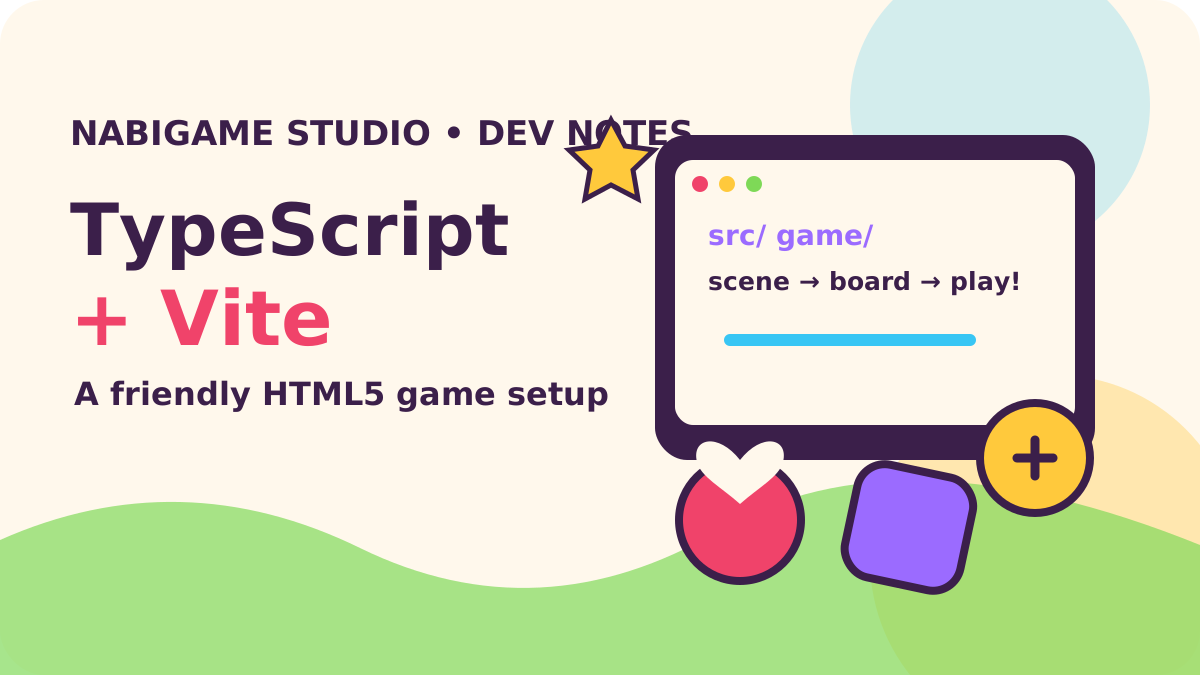
For a new HTML5 puzzle or arcade game in 2026, use Vite to serve and bundle a small TypeScript project, let TypeScript check the code separately, and import assets through the module graph so production URLs can be hashed. Keep the first playable scene eager, then load optional levels, tutorials, or heavyweight features only when players need them; Vite 8’s Rolldown and TypeScript 7 are timely upgrades, but a clear project structure matters more than chasing build speed.
Key takeaways
- Start with Vite’s vanilla TypeScript template and a small, readable source tree.
- Use browser-oriented TypeScript settings, strict checks, and a separate type-check command.
- Import gameplay assets for hashed URLs; reserve
public/for files that need fixed names. - Split optional content at meaningful player-facing transitions, not every module.
- In Vite 8, Rolldown powers the bundler and tsconfig path aliases can be enabled in Vite itself.
Why is this setup current in 2026?
Vite’s “Vite 8.0 is out!” announcement in March 2026 describes the switch to Rolldown as its unified Rust-based bundler. The follow-up “Vite 8.1 is out!” in June introduced experimental bundled development mode for projects that need it. The release also drew a Hacker News discussion titled “Vite 8.0 Is Out”, where developers raised practical questions about the new tooling and migration. These changes make Vite especially current, but you do not need experimental settings to ship a small canvas game.
The other notable shift is TypeScript 7. Microsoft’s “Announcing TypeScript 7.0” in July 2026 describes a native Go port. Treat compiler speed claims as the compiler team’s report, not a promise about your project; verify compatibility with your editor and lint plugins before changing a working toolchain. In this guide, Vite owns browser transforms and production output, while the TypeScript compiler and ESLint perform explicit checks.
“Vite 8 ships with Rolldown as its single, unified, Rust-based bundler, delivering up to 10-30x faster builds while maintaining full plugin compatibility.”
— Vite, Vite 8.0 is out!
How should I scaffold a game?
Create a vanilla app first. Install current compatible package versions and commit the generated lockfile so teammates and build machines resolve the same dependency graph. The exact package versions change, so let the package manager choose compatible releases instead of copying a stale version pin from an article.
Run npm create vite@latest nabi-puzzle -- --template vanilla-ts, install dependencies, then start the dev server. Add TypeScript and ESLint as development dependencies if they are not already included by your starter.
Vite’s starter is a useful launch pad, not your final architecture. Remove demo UI that the game does not need, then make the first screen render quickly: create the canvas or game root, load only the boot scene’s assets, and show progress or a friendly loading state for larger files. NabiGame makes both web and mobile casual titles, so we value project arrangements that keep input, rendering, and game rules understandable when the same mechanic has to travel between targets. See our HTML5 web games guide for deployment context and game engine comparison for choosing an engine.
Choose a folder layout around responsibilities
A small project should make it obvious where a developer changes rules, screens, assets, and platform-specific code. Avoid building a generic engine layer before the game demonstrates a need for one. A practical starting tree might look like this:
For example, keep the entry point at src/main.ts; organize game/scenes, game/systems, input, ui, assets, and styles under src; reserve public for fixed-name files.
For a merge puzzle such as Juice Fruit, board rules can live apart from rendering and input. That makes deterministic logic easier to reason about and lets the interface change without rewriting the puzzle model. Our rule of thumb: keep each file focused on one reason to change, but do not split every function into a file. Make boundaries respond to game features, not a theoretical architecture diagram.
What TypeScript settings fit a browser game?
Use a browser-oriented module resolution mode. The TypeScript documentation describes bundler as the mode intended for bundlers; it accepts extensionless imports in the way a bundler can resolve them. For a Vite-only app, noEmit ensures TypeScript checks source without producing a second JavaScript build. The Vite dev server transforms TypeScript, but its fast transform is not a substitute for checking types.
{
  "compilerOptions": {
    "target": "ES2022",
    "module": "ESNext",
    "moduleResolution": "bundler",
    "lib": ["ES2022", "DOM", "DOM.Iterable"],
    "strict": true,
    "noEmit": true,
    "skipLibCheck": true,
    "types": ["vite/client"],
    "baseUrl": ".",
    "paths": { "@/*": ["src/*"] }
  },
  "include": ["src"]
}
Use strict early. Game state often moves through several phases—booting, playing, paused, resolving—and useful types expose invalid transitions while you are still shaping the design. Add narrow interfaces for input and asset manifests rather than casting everything to any. The TypeScript moduleResolution reference explains why the bundler mode differs from Node’s runtime modes.
Make aliases work in both TypeScript and Vite
The paths option helps the editor and checker understand imports, but historically a bundler also needed to know how to resolve them. Vite 8 added built-in tsconfig path support behind resolve.tsconfigPaths; the Vite 8 release note says it is not enabled by default and carries a small performance cost. For a smaller app, relative imports are perfectly fine. If aliases improve clarity, enable the feature explicitly or configure matching aliases in Vite, and verify that linting and tests use the same resolution rules.
“Built-in tsconfig `paths` support: Developers can enable TypeScript path alias resolution by setting `resolve.tsconfigPaths` to `true`.”
— Vite, Vite 8.0 is out!
How do asset imports and hashing work?
Import files that belong to the game from source. Vite can then include them in its build graph and rewrite their URLs when output files are fingerprinted. This is useful for sprites, sound effects, fonts, and level data because an updated file receives a new URL that avoids stale browser caches.
For example, import fruitUrl from './assets/fruit.png' gives the game a URL for an image, and import popUrl from './assets/pop.ogg' does the same for a sound effect.
TypeScript needs Vite’s client declarations to understand asset imports; that is why the config includes vite/client. Keep stable deployment files such as a favicon or robots file in public/, where Vite copies them without hashing. Don’t hand-build asset paths from filenames unless you understand the bundler’s static analysis rules. Vite’s Static Asset Handling guide covers URL imports, raw strings, workers, and the public directory.
“Referenced assets are included as part of the build assets graph, will get hashed file names, and can be processed by plugins for optimization.”
— Vite, Static Asset Handling
When should game code be split into chunks?
Code splitting means deferring an optional module until the player asks for it. Do not split the input loop, board model, or first playable scene just to make a bundle report look tidy; the browser must fetch those before play. Good candidates include a help overlay, an optional replay viewer, a level editor, or a set of later chapter definitions. A dynamic import creates a natural boundary:
async function openHowToPlay(): Promise{ const { showTutorial } = await import('./ui/tutorial') showTutorial() } document .querySelector ('[data-help]') ?.addEventListener('click', () => void openHowToPlay())
Vite handles async chunks and can preload their direct dependencies. Still, a chunk adds a network request and a possible wait at the moment it is needed. Use a loading state for a large optional mode and test on a slower phone. Chrome’s April 2025 article “More accurate DevTools performance debugging using real-world data” describes CPU throttling calibration in DevTools and also explains what throttling cannot simulate. Profile real devices for final decisions. For canvas-heavy rendering budgets, see our mobile web game performance budget.
“CPU throttling can't simulate all aspects of mobile hardware.”
— Chrome for Developers, More accurate DevTools performance debugging using real-world data
What belongs in vite.config.ts?
Keep configuration small and explicit. This example assumes a game published at the domain root and enables Vite 8’s built-in alias support. For a game hosted under a subdirectory, set base to that deployment path or use a relative base when appropriate. The production build guide explains how Vite adjusts imported asset URLs for a nested base.
import { defineConfig } from 'vite'

export default defineConfig(({ mode }) => ({
  base: '/',
  resolve: { tsconfigPaths: true },
  build: {
    sourcemap: mode === 'development',
    assetsInlineLimit: 0,
  },
}))
Setting assetsInlineLimit to zero keeps even small files external; it is a deliberate cache and inspection choice, not a universal speed win. Remove it if tiny interface assets are better embedded. Production source maps can help diagnose errors, but decide whether to publish them based on your debugging and source exposure needs. A common compromise is private upload to error monitoring and no public map deployment.
How should debug flags, source maps, and linting work?
Use Vite’s built-in mode flags for development-only helpers. Vite statically replaces these values during build, which allows dead code elimination. Never put secrets in a VITE_ variable: anything exposed this way ends up in client code. Use a backend for credentials and trusted decisions.
if (import.meta.env.DEV) {
  window.addEventListener('keydown', (event) => {
    if (event.key === '`') console.table(game.debugSnapshot())
  })
}
For custom switches, use a clearly named variable such as VITE_SHOW_HITBOXES=true, parse its string value, and keep the default off. The Vite environment guide documents DEV, PROD, and mode-specific .env files.
“Vite exposes certain constants under the special `import.meta.env` object.”
— Vite, Env Variables and Modes
Add separate scripts for development, type checking, linting, and production builds. For example, check can run tsc --noEmit, while lint runs ESLint on src. Vite’s feature guide recommends separating static analysis from its transform pipeline. This keeps the dev server responsive and gives a clear failure when a type or style issue should block release. Add lint rules gradually: catch unused imports and unsafe patterns, but avoid formatting debates that slow a small team.
In 2026, TypeScript 7 is a significant tooling release, but editor and plugin compatibility remains a practical concern. A sensible sequence is to use the stable compiler version supported by your toolchain, keep the type-check command independent from Vite, and trial the newer compiler on a branch before switching. The goal is reliable feedback during game iteration, not adopting a version number for its own sake.
A practical setup checklist
- Scaffold the vanilla TypeScript Vite template and remove unused demo code.
- Enable strict browser types and run TypeScript with
noEmit. - Keep game rules, scenes, input, UI, and assets in clear folders.
- Import changing game assets; place fixed-name deployment files in
public/. - Split optional content through dynamic imports and show a loading state where needed.
- Use
import.meta.env.DEVfor local overlays; never ship secrets in frontend env variables. - Build with source map policy and base path chosen for the actual host, then inspect the output on mobile.
- Run lint, type check, and build as distinct checks before release.
For teams that need game art, implementation support, or a second opinion on a web-to-mobile plan, our services page outlines the work we take on. We recommend starting with a playable slice: one scene, a small asset set, and one complete interaction loop. It reveals architectural problems earlier than elaborate scaffolding.
FAQ
Does Vite type-check TypeScript automatically?
No. Vite transforms TypeScript for development and production, but type checking should run separately. Add a dedicated tsc --noEmit command to your scripts and run it before release.
Should I use Vite 8 for a new HTML5 game?
Vite 8 is a reasonable current starting point when your plugins and runtime support it. Its Rolldown integration is now the default, while bundled development mode in Vite 8.1 remains experimental. A small game usually needs no experimental options.
Should every level be dynamically imported?
No. Split content when it is large or not needed at first play, such as later chapters or a tutorial. Keep the first interaction path short and avoid adding waits to features players need immediately.
Should game assets go in public?
Usually, import assets referenced by game code so Vite can track and hash them. Use public/ for files that need a stable name or are not imported from source.
Can I put analytics keys in a VITE_ variable?
Only values intended to be public belong in client-side environment variables. Vite bundles prefixed values into browser code, so private credentials must stay on a server.
Sources
- Vite 8.0 is out!
- Vite 8.1 is out!
- Announcing TypeScript 7.0
- Vite Features
- Vite Static Asset Handling
- Vite Env Variables and Modes
- Vite Building for Production
- Vite Performance
- TypeScript moduleResolution
- Chrome: More accurate DevTools performance debugging using real-world data
- Hacker News discussion: Vite 8.0 Is Out
Comments
Loading comments…