
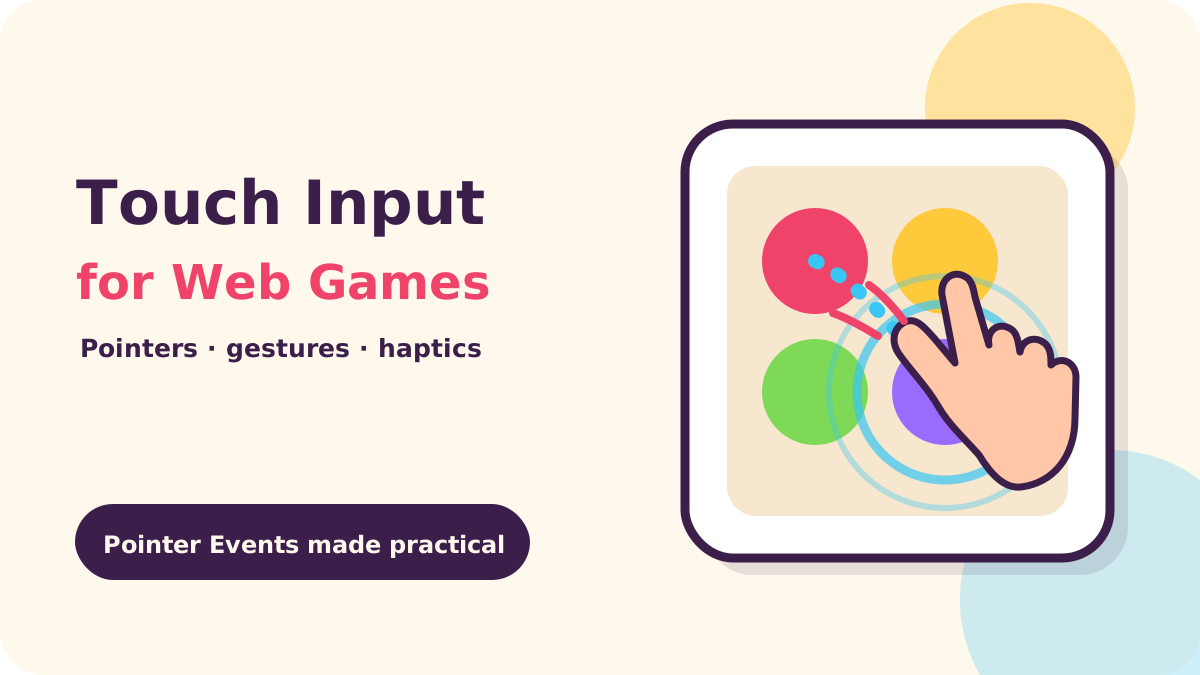
For a mobile web game, use Pointer Events for the common mouse, pen, and touch path, set touch-action on the game surface to define which gestures belong to the browser, and treat cancellation as a normal input outcome. Track active pointers by ID, recognize taps and drags with movement and time thresholds, and make vibration an optional enhancement because iOS Safari does not provide a dependable Vibration API path.
Key takeaways
- Prefer Pointer Events for a unified input layer; use Touch Events only where a specific legacy or multi-touch need makes them necessary.
- Declare gesture ownership in CSS before a finger goes down. Avoid trying to cancel scrolling late with JavaScript.
- Use pointer IDs, capture, and cancellation cleanup to keep drags and multi-touch coherent.
- Measure tap, swipe, and long-press from the original point and timestamp; let a quick tap act immediately instead of waiting for a double tap.
- Buffer short gameplay commands until the simulation can process them, and make haptics a graceful optional extra.
Pointer Events or Touch Events: which should a game use?
Pointer Events provide one event family for mouse, stylus, and touch. Each event has a pointerId, pointerType, coordinates, buttons, and pressure-related properties, so a game can use one state machine while checking the input device. This is a good default for a canvas puzzle or arcade joystick.
“They are designed to create a single DOM event model to handle pointing input devices such as a mouse, pen/stylus or touch (such as one or more fingers).”
— MDN, Pointer events
Touch Events expose lists such as touches and changedTouches. They can help when maintaining older code or a library built around that API. Avoid registering both touch and pointer handlers for the same action without deduplication: one physical interaction can become two game moves.
Safari has been part of the Pointer Events story for years, and current releases continue to refine edge cases. WebKit’s “WebKit Features for Safari 26.2” describes recent work on fractional Pointer and Touch Event coordinates and ongoing Pointer and Mouse Event interoperability under Interop 2025. That makes sub-pixel coordinate handling a timely detail for fine dragging, but it does not change the practical rule: convert event coordinates into your game’s own logical coordinate space before hit-testing.
“Safari 26.2 adds support for fractional coordinates in `PointerEvent` and `TouchEvent` properties like `clientX`, `clientY`, `pageX`, `pageY`, `offsetX`, `offsetY`, and `screenX`/`screenY`.”
— WebKit, WebKit Features for Safari 26.2
For framework users, inspect the engine’s input layer before adding raw DOM listeners. Phaser’s v4.2.1 release in 2026 is a recent example of the active web game engine ecosystem; the release is primarily a renderer and engine update, so it is not evidence of a new browser input rule. A more direct sign that gesture ownership remains a practical concern appeared in Hacker News discussion of “A Topological Picture Book, Rendered”: one commenter described an Android Chrome canvas drag being interrupted as page scrolling began, and suggested setting touch-action on the canvas. Decide whether the engine or your code owns each canvas gesture; avoid two competing systems updating the same drag.
How do touch-action and browser gestures interact?
The browser handles familiar gestures such as page scroll and pinch zoom unless the interaction surface declares otherwise. With Pointer Events, a browser may send pointercancel once it takes over a gesture. In a game, that is not an exceptional crash condition: it means clear the corresponding held state, stop any drag preview, and do not commit a move that was never completed.
“By default, panning (scrolling) and pinching gestures are handled exclusively by the browser.”
— MDN, touch-action CSS property
Apply touch-action narrowly to the element that owns gameplay. For a full-screen game board where every swipe belongs to the game, touch-action: none is usually the clearest choice. For a horizontally controlled lane embedded in a page that should still scroll vertically, consider pan-y; for a vertical game strip, consider pan-x. Verify the actual effect on supported browsers and preserve ordinary page navigation outside the game.
Do not disable zoom across the whole page just to make a game feel app-like. It can make text and controls harder to use, and a user setting or browser behavior may override viewport zoom limits anyway. Keep the page viewport responsive, make interactive controls comfortably sized, and confine gesture suppression to the actual play field. A standalone game page can use a viewport declaration such as width=device-width, initial-scale=1, without making user-scalable=no a requirement.
On a canvas, avoid relying on preventDefault() from a passive or late listener to seize the gesture. Put the policy on the surface before input begins. If the page contains a help panel or scrollable inventory, keep those controls outside the canvas or give them their own intentional scrolling behavior.
How do you recognize taps, drags, swipes, and long presses?
A gesture recognizer needs a start point, a start time, a movement threshold, and a clear end or cancellation path. The sample below records each pointer separately, captures it so the element continues receiving events after a drag leaves its bounds, and classifies the completed gesture. Its threshold values are starting design choices; tune them with real fingers and target devices rather than treating them as standards.
const surface = document.querySelector("#game");
const active = new Map();
const MOVE_SLOP = 12; // CSS pixels; tune on devices
const LONG_PRESS_MS = 500;

surface.addEventListener("pointerdown", (e) => {
  if (e.pointerType === "mouse" && e.button !== 0) return;
  active.set(e.pointerId, {
    x: e.clientX, y: e.clientY,
    lastX: e.clientX, lastY: e.clientY,
    start: performance.now(), moved: false
  });
  surface.setPointerCapture(e.pointerId);
});

surface.addEventListener("pointermove", (e) => {
  const p = active.get(e.pointerId);
  if (!p) return;
  p.lastX = e.clientX; p.lastY = e.clientY;
  if (Math.hypot(e.clientX - p.x, e.clientY - p.y) > MOVE_SLOP) {
    p.moved = true;
    updateDrag(e.pointerId, e.clientX, e.clientY);
  }
});
Complete recognition on release, and discard it on cancellation. Swipe classification should compare horizontal and vertical displacement, require a minimum distance, and reject a diagonal if the game expects a clear direction. A long press is best implemented with a timer that is cancelled when the pointer moves beyond slop, ends, or is cancelled; checking elapsed time only at release will recognize a hold late and can conflict with a tap.
function finishPointer(e, cancelled = false) {
  const p = active.get(e.pointerId);
  if (!p) return;
  active.delete(e.pointerId);
  if (cancelled) {
    cancelDrag(e.pointerId);
    return;
  }
  const dx = e.clientX - p.x;
  const dy = e.clientY - p.y;
  const elapsed = performance.now() - p.start;
  if (!p.moved && elapsed >= LONG_PRESS_MS) onLongPress(e);
  else if (!p.moved) onTap(e);
  else if (Math.hypot(dx, dy) >= 48) onSwipe(dx, dy);
  endDrag(e.pointerId);
}

surface.addEventListener("pointerup", e => finishPointer(e));
surface.addEventListener("pointercancel", e => finishPointer(e, true));
surface.addEventListener("lostpointercapture", e => finishPointer(e, true));
This compact version calls long-press on release. For a hold action that should trigger while the finger is still down, schedule a timer at pointerdown, then clear it on movement, pointerup, and pointercancel. Guard the timer with the pointer ID still being active before firing. For a game with multiple touches, keep a Map keyed by pointer ID rather than a single global “finger down” boolean.
What changes with multi-touch?
Each finger has its own pointer ID. That supports two-finger board gestures or a thumb-held virtual stick plus a second action button. Decide how many simultaneous contacts the game actually uses, and what happens if an extra finger lands on the screen: ignore it, assign it to a distinct control, or cancel a conflicting action. Do not assume the first pointer to go down is the only useful one.
Pointer capture is useful for a drag that leaves the board, but it does not promise that the browser will never cancel the interaction. Keep pointercancel cleanup symmetrical with normal release cleanup. For gestures that need the movement history for smoothing or drawing, browser input can coalesce high-frequency movement; where available, getCoalescedEvents() can provide the intermediate samples. Most tile selection and swipe games do not need that extra path.
Is there still a 300 ms tap delay or a double-tap problem?
Older mobile browsers delayed click dispatch to wait and see whether a second tap meant zoom. Modern browsers generally avoid the historical delay when the page has a suitable mobile viewport, and the CSS touch-action: manipulation can communicate that panning and pinch zoom remain available while other gestures such as double-tap zoom are not required on that surface. Treat this as browser behavior, not a timer you should hard-code into your game.
For a snappy game, act on pointerup for a completed tap, or on pointerdown for controls that intentionally feel immediate, then prevent a later synthesized click from triggering a second action. A cleaner common approach is to use Pointer Events for gameplay and reserve semantic click events for ordinary HTML buttons. Avoid using dblclick as a core mobile mechanic: a second tap may be interpreted as a separate move, zoom gesture, or browser action depending on context.
Safari deserves real-device checks for selection, text callouts, edge swipes, and viewport changes. Use user-select: none only on the game surface if text selection is a problem. Keep critical controls away from screen edges, where operating-system navigation gestures can compete with a game swipe.
How should gameplay handle input buffering?
Input events arrive between simulation updates. If a player taps just before an animation ends, a strict “accept input only while idle” rule may drop an intentional move. Buffer a small number of commands, consume them at a safe state transition, and clear stale commands when the player restarts, opens a modal, or changes scenes. The right capacity depends on the game: a match puzzle may need only one queued tile selection, while a fast arcade game may need a short-lived directional state.
const inputQueue = [];
const MAX_QUEUED = 2;

function queueMove(move) {
  if (inputQueue.length === MAX_QUEUED) inputQueue.shift();
  inputQueue.push({ move, at: performance.now() });
}

function consumeMove(now = performance.now()) {
  while (inputQueue.length && now - inputQueue[0].at > 250) {
    inputQueue.shift(); // discard stale intent
  }
  if (game.state !== "ready" || !inputQueue.length) return;
  applyMove(inputQueue.shift().move);
}
The queue is a design tool, not a promise that every input should execute. Consider whether repeating the same move should replace an older one, whether a tap on a disabled tile should be dropped immediately, and whether a board animation should accept a follow-up selection. NabiGame Studio’s rule of thumb is that a casual game should acknowledge a valid intent promptly with a visual response, even if the actual board change waits for a safe point. That is part of the feel behind games such as Juice Fruit and Crystal Drop.
Can a mobile web game use haptics?
The Vibration API is feature-detected and can send simple vibration patterns on supported devices. It is not a high-fidelity haptic motor interface, and the browser may do nothing where support or hardware is absent. iOS Safari does not provide a dependable navigator.vibrate() implementation, so never make vibration the only confirmation of a move.
“The Vibration API offers Web apps the ability to access this hardware, if it exists, and does nothing if the device doesn't support it.”
— MDN, Vibration API
Wrap the call behind a tiny capability check, invoke it only for meaningful feedback, and keep the action short. Repeated vibration on every particle or board tick is distracting where it works and silently absent elsewhere. For native apps or a web game wrapped in a native shell, platform haptic APIs may offer more options, but that is a different delivery target and should be tested independently.
function haptic(pattern = 12) {
  if (typeof navigator.vibrate !== "function") return false;
  try {
    return navigator.vibrate(pattern);
  } catch {
    return false;
  }
}

function onMatch() {
  haptic(18); // optional; animation and sound still confirm
  showMatchFeedback();
}
Pair optional vibration with a clear animation, sound setting, or score response. Test in Safari on iPhone, not just a desktop simulator or an Android browser. If your web game also ships in an app container, the web page may need a bridge to native haptics; keep that bridge isolated so the browser build remains functional without it. Our guide to wrapping an HTML5 game for app stores discusses the broader boundary between a web runtime and native features.
A practical input checklist
- Choose one owner: decide whether the engine or a small DOM controller owns game input.
- Set the gesture policy: put
touch-actionon the playable region and keep page scrolling usable elsewhere. - Track identity: store pointer state by
pointerId, and capture pointers for drags that may leave the surface. - Clean every exit: handle
pointerup,pointercancel, and lost capture so no button stays stuck. - Separate recognition: use movement slop and elapsed time to distinguish taps, swipes, and holds.
- Protect game feel: buffer only short-lived valid commands; give every action a visual response independent of haptics.
- Test physical devices: include iOS Safari, Android Chrome, rotation, browser chrome changes, multi-touch, and OS-edge gestures.
Touch input is both a browser API and game-design problem. Preserve pointer identity, clean up reliably, leave room for a finger, and acknowledge taps immediately. NabiGame Studio recommends testing input as part of device and level checks, alongside rendering and audio in our mobile web performance guide. If you need help shaping a touch-first prototype, see our game development services or get in touch.
FAQ
Should I use touchstart or pointerdown?
Use pointerdown for a new game input layer because it unifies mouse, pen, and touch. Choose Touch Events when maintaining an existing implementation or when a library requires them, and avoid double-binding both models without a deduplication plan.
Does touch-action: none disable the whole page?
No, it applies to the element where you set it and its gesture behavior. Keep it scoped to the game surface so the surrounding page can still scroll and use browser gestures.
How do I prevent a drag from getting stuck?
Capture the pointer when the drag starts, then clear its state on both pointerup and pointercancel. Also listen for lost pointer capture as a cleanup path and make cleanup safe to call more than once.
Does iPhone Safari support navigator.vibrate?
Do not depend on it in iOS Safari. Feature-detect the method, expect it to be absent or ineffective, and make visual or audio feedback sufficient on its own.
Should mobile games wait for a double tap before acting?
Usually not for a core game action. A double-tap can collide with zoom behavior and makes controls feel delayed; use a clear single-tap action and reserve double-tap for an optional, nonessential shortcut.
Comments
Loading comments…