
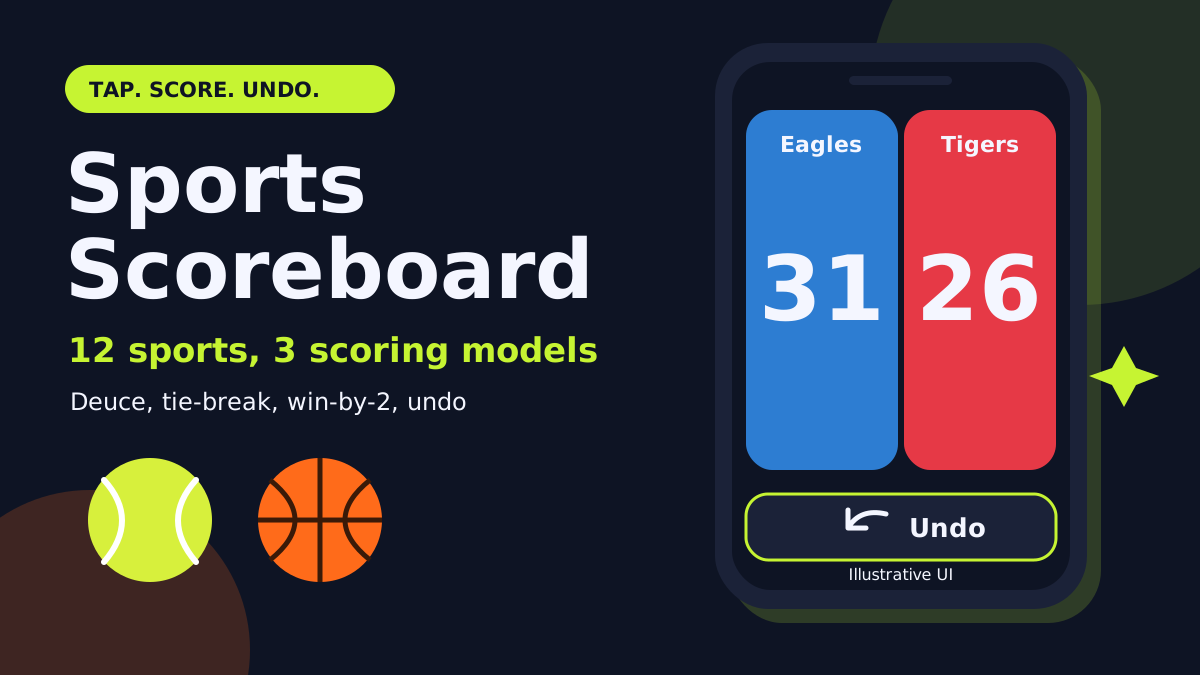
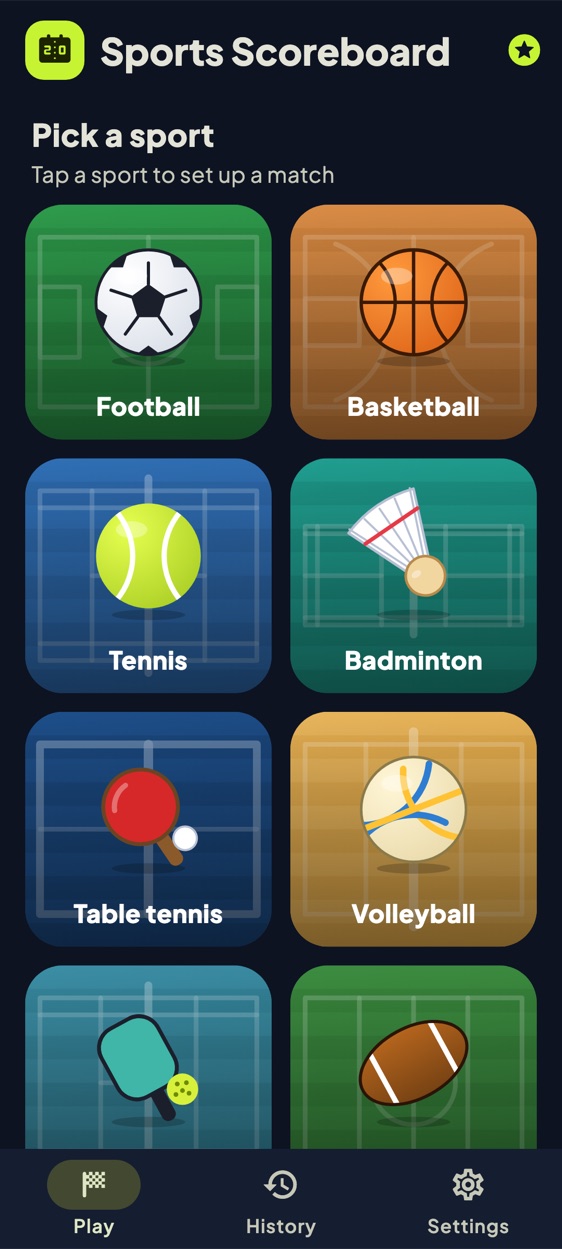
We make Sports Scoreboard at NabiGame; this guide explains the app and how its scoring rules work, it is not an independent review. Status: the app is in final testing and is not yet on Google Play or the App Store, so there is no store link yet. Everything below comes from the app's own source code and tests, not from a public listing. Sports Scoreboard is a phone scoreboard for twelve sports: you tap a big panel to score, and the app counts games, sets and tie-breaks for you.
Key takeaways
- Twelve sports, three scoring models. Running totals (football, basketball, rugby, American football, hockey, baseball, any sport), set-based points (badminton, table tennis, volleyball, pickleball) and tennis with its own 0-15-30-40 counting.
- Undo is real. A match is a list of scoring events; the score is recomputed from that list, so Undo simply removes the last event, as many times as you need.
- Rules are configurable where it matters. Best-of 1, 3 or 5 sets, points per set, no-ad tennis, doubles in badminton, match clock and periods for running sports.
- Free, ad-supported, with a rewarded-ad unlock. No ads on the match screen. Custom score buttons and CSV export are unlocked for a day with credits earned by watching rewarded ads.
Real examples
The numbers below follow the scoring engine in the app's source and its unit tests, so the same taps give the same result. Names and scores are made up for illustration.
A tennis game with deuce, then a set that goes to a tie-break
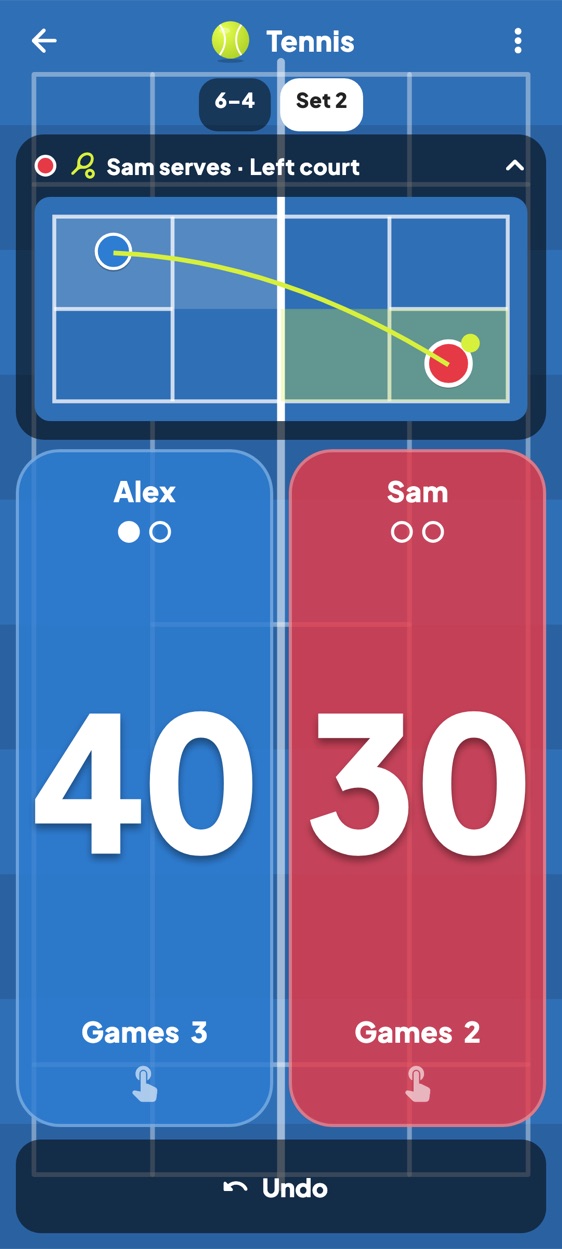
Alex plays Sam, best of 3 sets, ad scoring (the default), Alex serving first. In one game Alex taps his panel three times: 40, Sam 0. Sam then wins three points in a row, so both show 40. Alex taps once: his panel now shows Ad. Sam taps: back to 40-40. Alex taps twice more: the first tap shows Ad again, the second ends the game. That is 6 taps for Alex and 4 for Sam, and the games read 1-0. The serve bar then switches to Sam, serving from the right court, because the server changes every game and the court side follows whether the points played in the game are even or odd.
If you switch on No-ad scoring in the setup sheet, the same game ends differently: at 40-40 the very next point wins it, with no Ad.
Later in the set the games reach 6-6 and the app switches to a tie-break and the panels show plain numbers (0, 1, 2...) instead of 15-30-40. In the tie-break Alex leads 7-6, which is not enough (you need 7 points and a 2-point lead); Sam levels at 7-7, Alex goes 8-7, then 9-7 and the tie-break and the set end 7-6. The set is stored as 7-6. At 6-6 in the tie-break the first server serves one point, then the other player serves two points, as the engine's tests check. If Alex also won set 1 as 6-4, the match is decided after this set (best of 3 needs 2 sets), the result sheet appears and the summary reads 2 - 0 (6-4, 7-6). Extra taps after the match is decided are ignored.
A basketball game with a mis-tap and Undo
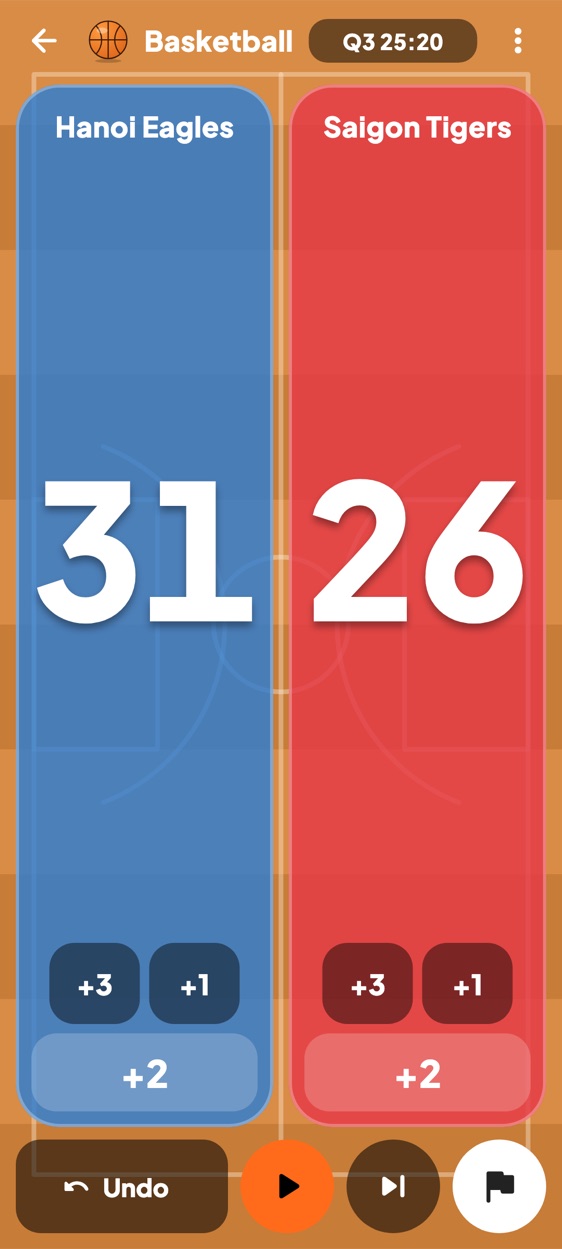
Hanoi Eagles vs Saigon Tigers, basketball defaults: four periods of 10 minutes, score buttons +2 (large), +3 and +1. The clock starts paused; you press the play button when the ball is live. The clock counts up from 00:00 (the screenshot shows Q3 at 25:20). It is Q3 and the score is Eagles 28, Tigers 26. The Eagles score a two-pointer but you tap +3, and the score jumps to 31-26 (the screenshot). Tap Undo: the last event is removed and the board returns to 28-26. Tap +2: 30-26. Each event is saved with the clock time and the period, which is what the match timeline in History is built from.
At the end of a period tap the skip button to move from Q3 to Q4. Basketball is a running-total sport, so there is no automatic winner: tap the flag button, confirm "End this match and save it to history?" and the result sheet shows the winner or a draw, with Undo, Rematch and Done.
A badminton set that goes past 21: win by 2 and the 30-point cap
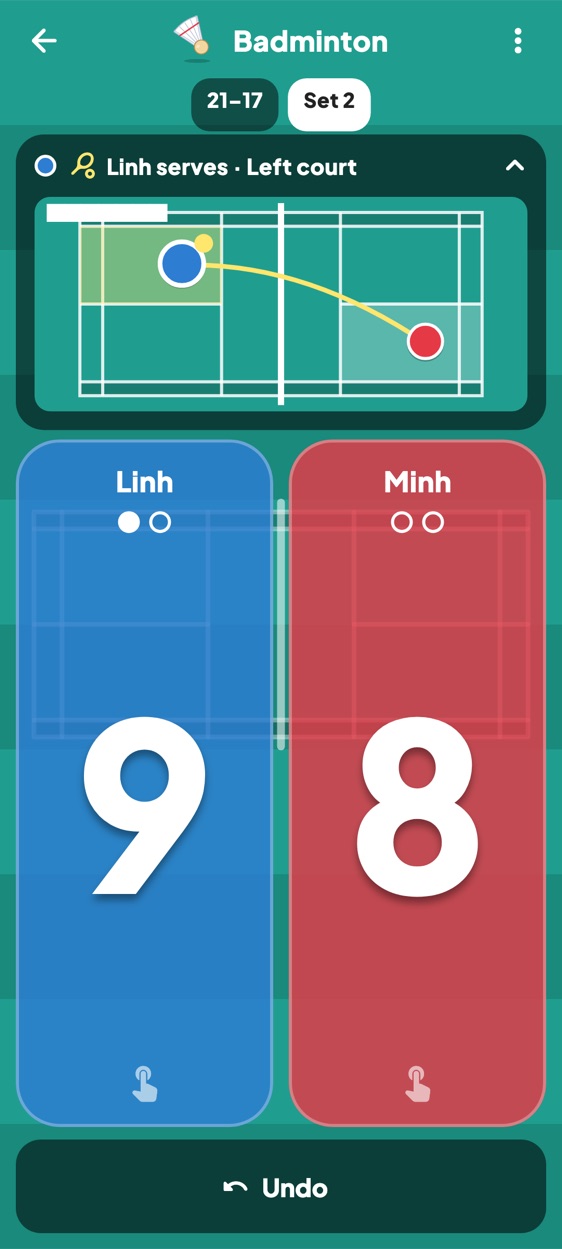
Linh vs Minh, badminton defaults: 21 points per set, win by 2, cap at 30, best of 3. In the screenshot set 1 ended 21-17 and set 2 stands at Linh 9, Minh 8, with "Linh serves, Left court". That is the serve helper: the rally winner serves next, and badminton uses the server's own score, so 9 (odd) means the left court and an even score means the right court.
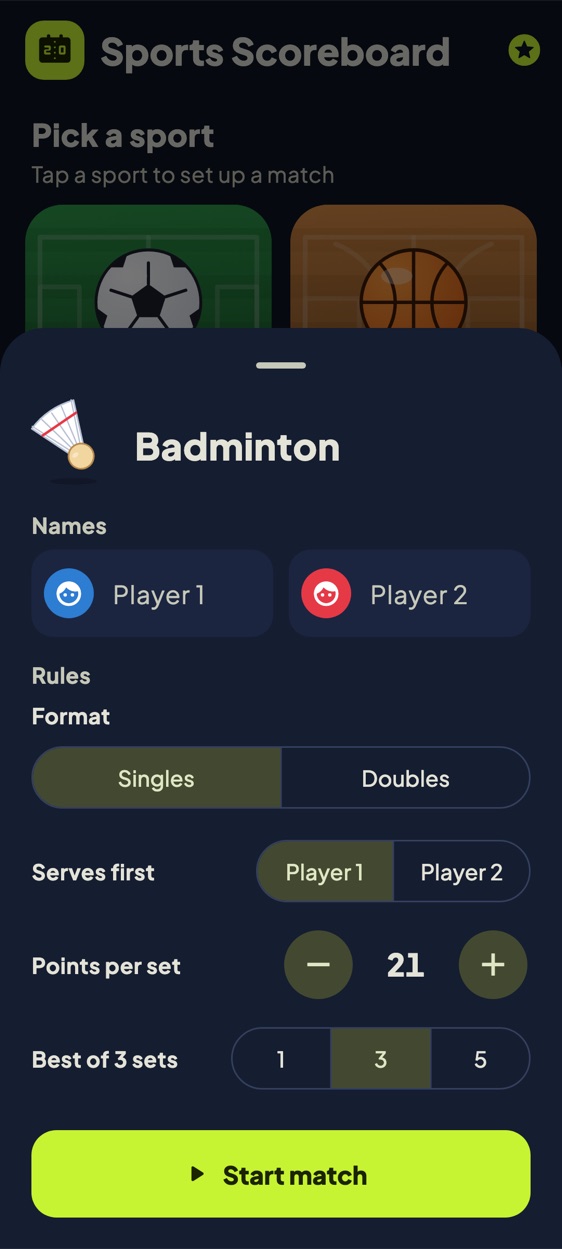
Now imagine a set at 20-20. Linh taps once: 21-20 and the set continues, because she needs a 2-point lead. Another tap: 22-20, the set is stored as 22-20 and the set strip updates. If instead the set reaches 29-29, the next point wins it 30-29, because the cap ends the set even without a 2-point lead (the engine test checks exactly this). In the setup sheet you can change points per set (5 to 50) and best of 1, 3 or 5. Volleyball works the same way with 25 points, win by 2, best of 5, and a deciding fifth set to 15 (for example 16-14 ends it).
Scoring a game the app does not know: Any sport
A family plays a card game where hands score 1, 5 or 10 points. Choose Any sport. It starts with three buttons, +1, +5 and +10, and no clock. To change the buttons to your own values (up to four buttons, each from 1 to 99, separated by commas, for example 10, 5, 1) you need the "Custom score buttons" feature, which is locked until you unlock it with credits (see below). After that, one team taps +10, +10, +5 and shows 25; you finish with the flag button and the match is saved to History like any other.
How Sports Scoreboard differs from other scoreboard apps
We make this app, so read these as checkable facts rather than a ranking.
- Rules, not just counters. Tennis deuce, advantage or no-ad, 6-6 tie-break, best-of sets, win-by-2 and caps are in a tested engine, not something you track in your head.
- Append-only event list. Undo removes the last event and the whole score is recomputed from the remaining list; the result sheet also offers Undo if you ended a set-based match by mistake.
- Serve helper for some sports. Tennis, badminton, table tennis, volleyball and pickleball show who serves, and for tennis, badminton and pickleball which court side. The rules are simple ones coded in the engine; the doubles toggle (badminton) only changes the court drawing and does not track which partner serves.
- The match survives a restart. The active match is saved on the phone, and a "Match in progress, Resume" card is shown on the Play tab. Settings has "Keep screen on while scoring" and vibration on tap.
- Small permission list. The Android manifest requests internet, network state (for ads) and vibration. Nothing for storage, location, camera, microphone or contacts.
- Ads kept away from play. Per the source, the banner shows on the Play and History tabs only, native ads sit in the sport grid and History list, and an interstitial can appear only after you tap Done on a finished match (frequency-capped by our SDK). No ad on the match screen.
- Rewarded credits instead of a paywall. One rewarded ad earns 1 credit, and 5 credits unlock one feature (custom score buttons or CSV export) until midnight, one feature per day, with up to 20 credits earnable per day.
- 20 languages are included, chosen in Settings or by following the system language.
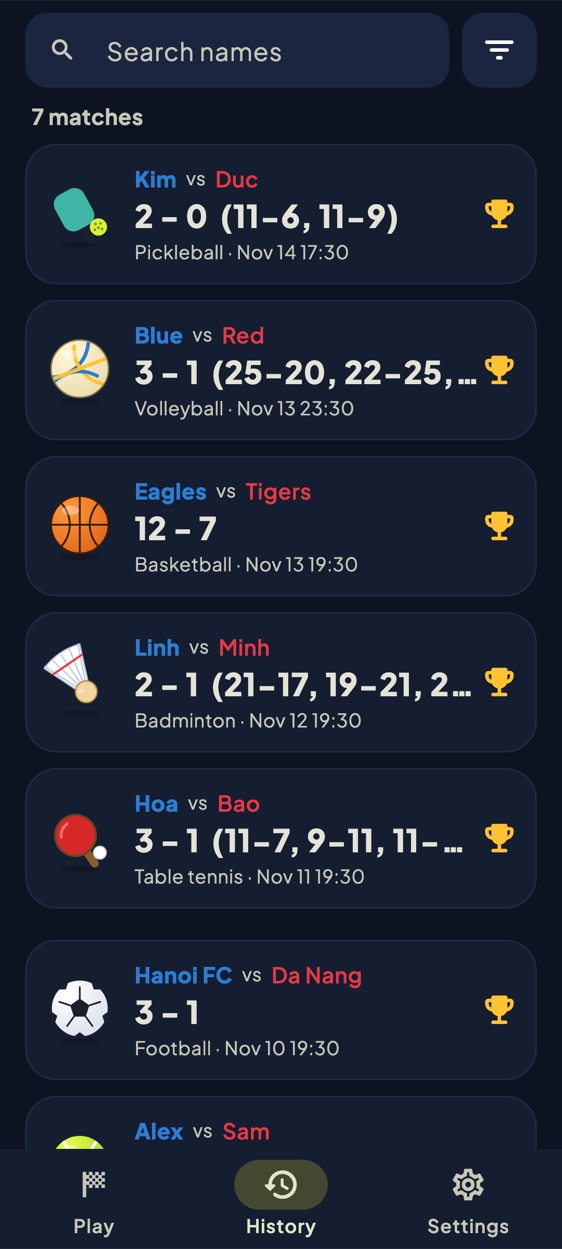
- History tools. Search by name (accent-insensitive), filter by sport, swipe a match to delete (with an Undo snackbar), open a match to see its scoring timeline.
When to pick something else. The app is portrait only. It is not a league manager: we found no player rosters, standings, tournament brackets, cloud sync or live sharing in the source. Running sports track points only (no fouls, cards, timeouts or player stats). CSV export shares plain text through the system share sheet and needs a credit unlock. If you officiate a league that needs stat-keeping or live sharing, use a dedicated tool; if you want a clean, fast board for a pickup game, this fits.
Get started in three steps
- Pick a sport on the Play tab. A sheet opens with names (optional, with avatars), who serves first (where relevant), points per set, best-of and, for running sports, the clock switch, number of periods and minutes per period.
- Tap Start match, then tap a team's big panel to score. Smaller buttons add other values. Use Undo for a mis-tap; in sports with a clock, press play, and use the skip button for the next period.
- Finish and review. Set-based matches end by themselves; running sports end with the flag button. Tap Done to save, or Rematch (which swaps the first server). Find it again in History and open it for the timeline.
FAQ
Is Sports Scoreboard available to download?
Not yet. It is in final testing and not on Google Play or the App Store. We will add the store link here when it is published.
Which sports are included?
Football, basketball, tennis, badminton, table tennis, volleyball, pickleball, rugby, American football, hockey, baseball and "Any sport".
Does it need an account or internet?
We found no sign-in in the app. The permissions are internet and network state, used for ads, and vibration. Matches are stored on the device.
What is locked behind credits?
Custom score buttons and CSV export. Everything else, including all twelve sports and history, is available without credits.
Can I undo after the match finished?
For set-based matches, the result sheet has an Undo option that removes the last point and reopens the match, until you tap Done.
Sources
- Sports Scoreboard source code and unit tests (scoring engine, sports table, screens, Android manifest), checked November 2026. The app source is not public.
- NabiGame apps and contact us

Comments
Loading comments…