
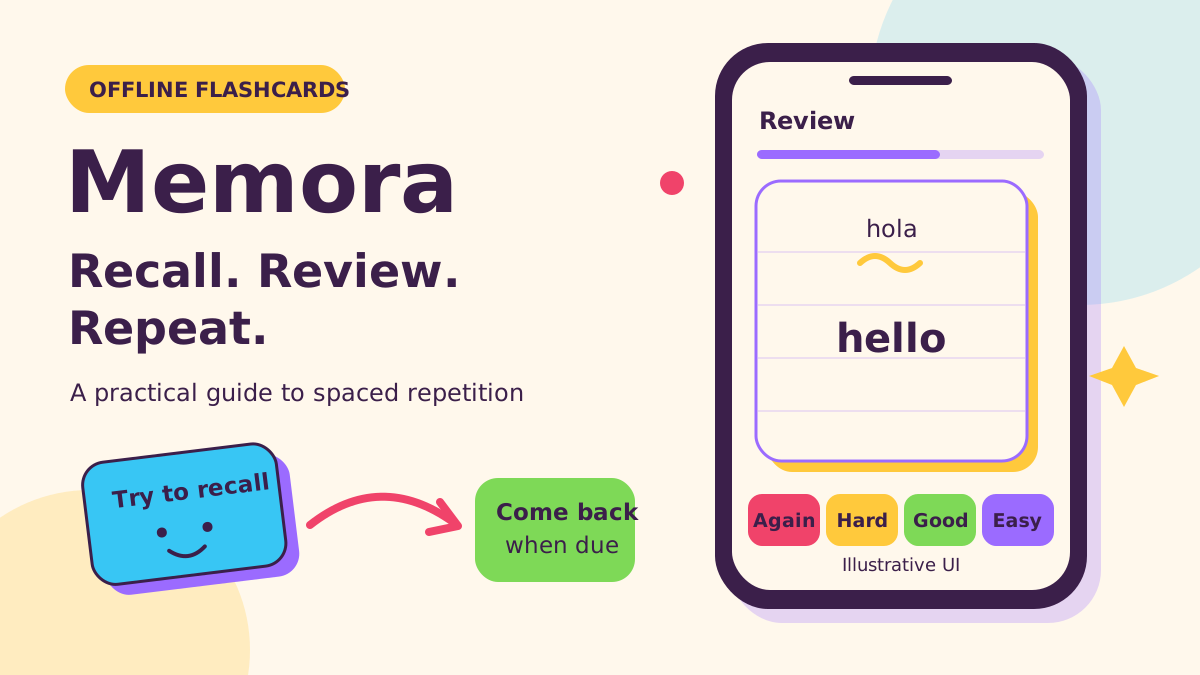
We make Memora: Offline Flashcards at NabiGame; this guide explains it and the topic, it is not an independent review. Memora lets you build text flashcards, study offline, and schedule reviews using spaced repetition. The useful combination is active recall—trying to answer before revealing the back—and revisiting material over time, with honest ratings guiding the next review.
Key takeaways
- Recall before revealing. Recognizing an answer after flipping is different from producing it yourself.
- Spacing is a principle, not a promise. A scheduler estimates when to review; it cannot measure your memory directly.
- Keep cards focused. Ask a narrow question with an answer you can grade fairly.
- Offline does not mean automatically backed up. Memora keeps decks locally; export a backup before changing phones.
How does spaced repetition actually work?
Spaced repetition distributes encounters with material across time. In Memora, you answer a card, reveal its back, and choose Again, Hard, Good, or Easy. The scheduler uses that response and the card’s existing state to calculate its return. A forgotten review card returns to relearning; successful reviews can receive longer gaps.
The research foundation predates today’s apps. In their 2006 meta-analysis of distributed practice, Nicholas J. Cepeda and colleagues reported:
“This review found 839 assessments of distributed practice in 317 experiments located in 184 articles.”
— Nicholas J. Cepeda and colleagues, study authors, Psychological Bulletin
The review found that the spacing associated with maximum retention increased as the delay before the final test increased. That supports thinking about when you need to remember, rather than treating a universal review calendar as scientifically settled. It does not establish that Memora’s particular schedule is optimal for every learner.
Our rule of thumb: let scheduled reviews organize practice, but inspect recurring mistakes. A difficult card may need a clearer question, a corrected answer, or another look at the lesson. Pressing Again repeatedly cannot repair an explanation you never understood.
What does the forgetting curve really tell us?
The forgetting curve describes retention changing after learning. It is useful as a reminder to return to material, but a smooth illustration is not a personalized forecast. Avoid interpreting it as a fixed percentage of everything you will forget by tomorrow.
A 2015 replication by Jaap M. J. Murre and Joeri Dros used a single participant learning and relearning lists of nonsense syllables. The researchers measured savings: the reduction in work needed to relearn previously studied material. Their abstract states:
“The results are similar to Ebbinghaus' original data.”
— Jaap M. J. Murre and Joeri Dros, study authors, PLOS ONE
That is meaningful evidence about the experimental pattern, with clear limits. Savings on relearning syllables is not the same measurement as your score on an exam or your ability to hold a conversation. Our recommendation is to use the curve to justify returning to learning, not to diagnose your memory from a missed card.
Why does active recall matter?
Active recall means attempting an answer while it is hidden. Read the prompt, say or write what you think, then reveal the answer and compare. If you flip immediately, the session becomes mostly rereading, even though the interface still looks like flashcard practice.
In Roediger and Karpicke’s 2006 study, students practiced with prose passages. Repeated studying performed better on the immediate assessment, while prior testing produced better retention on delayed assessments. The authors concluded:
“Testing is a powerful means of improving learning, not just assessing it.”
— Henry L. Roediger and Jeffrey D. Karpicke, study authors, Psychological Science
Our practical interpretation is to separate confidence from evidence. Feeling familiar with the back of a card does not tell you whether you retrieved it unaided. Decide what counts as a correct answer before flipping, especially when similar terms are easy to confuse.
How do you build good flashcards?
We recommend making cards from material you have already tried to understand. Use your notes or a trusted reference to check the answer, and put the reference in the optional note field when useful. Treat the following as editing suggestions, not experimental claims about the perfect card.
- Replace broad prompts. Instead of “Explain this chapter,” ask “Which condition makes this rule apply?” Keep the explanation in your notes.
- Choose a direction. Recognizing a foreign word and producing it from a meaning are different tasks. Write the prompt for the task you want to practice.
- Include necessary context. For vocabulary, specify the intended sense. For a formula, state what the symbols represent and when you should use it.
- Split answers that are hard to grade. If you remember the definition but miss the exception, separate those prompts so your rating has a clear meaning.
- Check application outside the deck. After reviewing a rule, solve a fresh problem or explain an example without looking at the card.
For an invented vocabulary deck, “What does this word mean?” may be too vague when the word has several senses. A better prompt names the sentence or context being studied. Put a concise expected answer on the back and a supporting example in the note. If the prompt gives away the answer, remove that cue unless recognizing it is the intended skill.
Real examples
The numbers below follow the scheduler in Memora's source (learning steps of 1 and 10 minutes, 1 day to graduate, starting ease 2.5, no random fuzz), so the same taps give the same dates.
Lucía learns "hola" on the bus
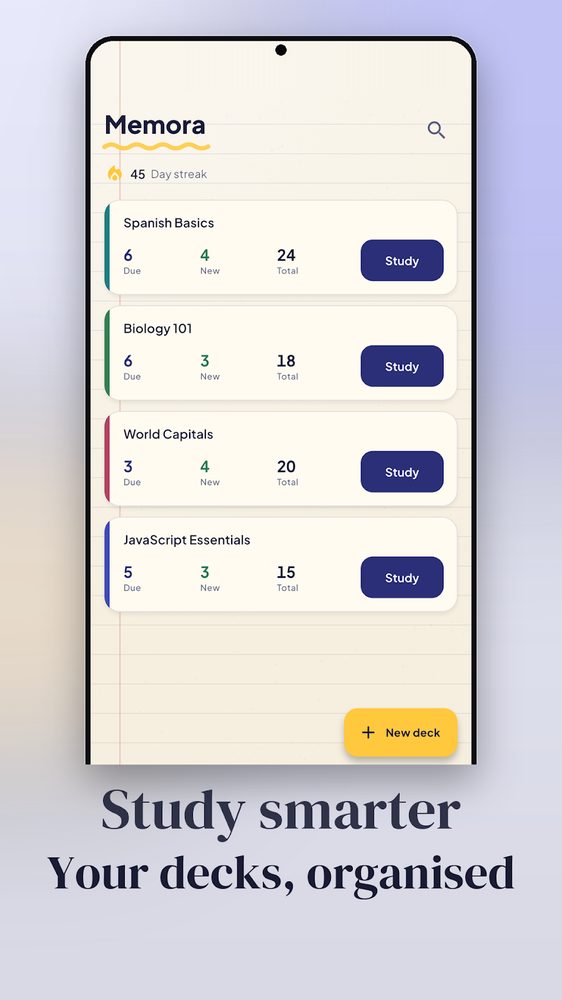
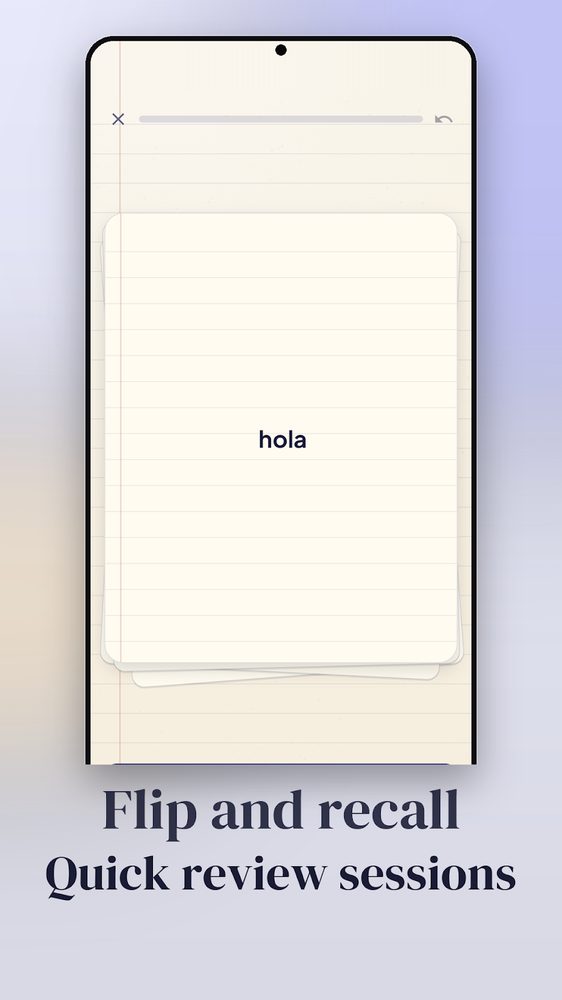
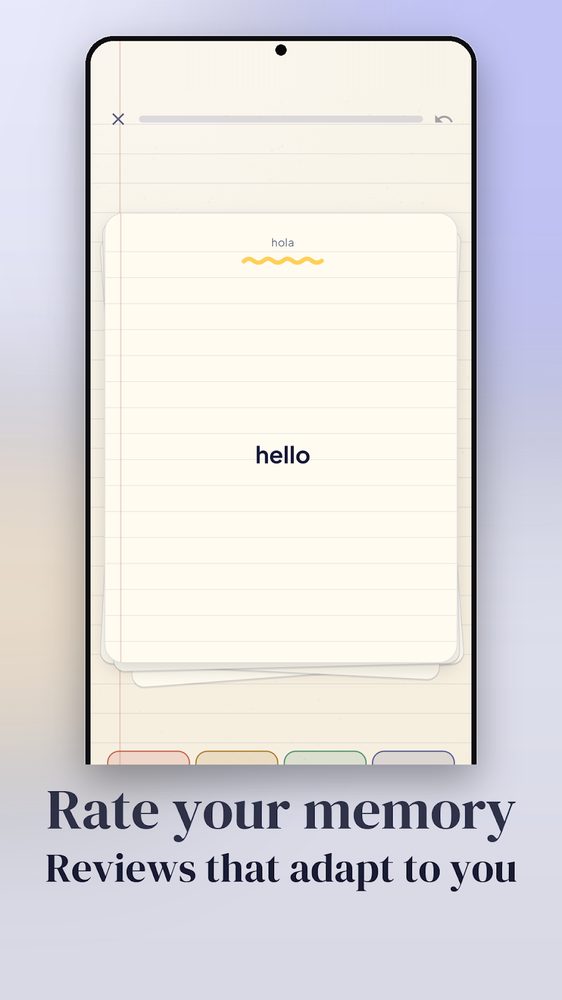
Lucía has a Spanish Basics deck. On the deck list (first screenshot) it shows 6 due, 4 new, 24 total, so today's session is 10 cards. She taps Study. The card shows hola (second screenshot); she says "hello" out loud, taps the card to flip, and sees hello (third screenshot). It is a brand-new card, so she taps Good: it returns in 10 minutes. After the second Good it graduates and is due in 1 day. Tomorrow, Good again gives 3 days (1 x 2.5, rounded), then 8 days (3 x 2.5 = 7.5, rounded). Had she tapped Easy on the very first view, the card would have jumped straight to 4 days.
Dev forgets a Biology term
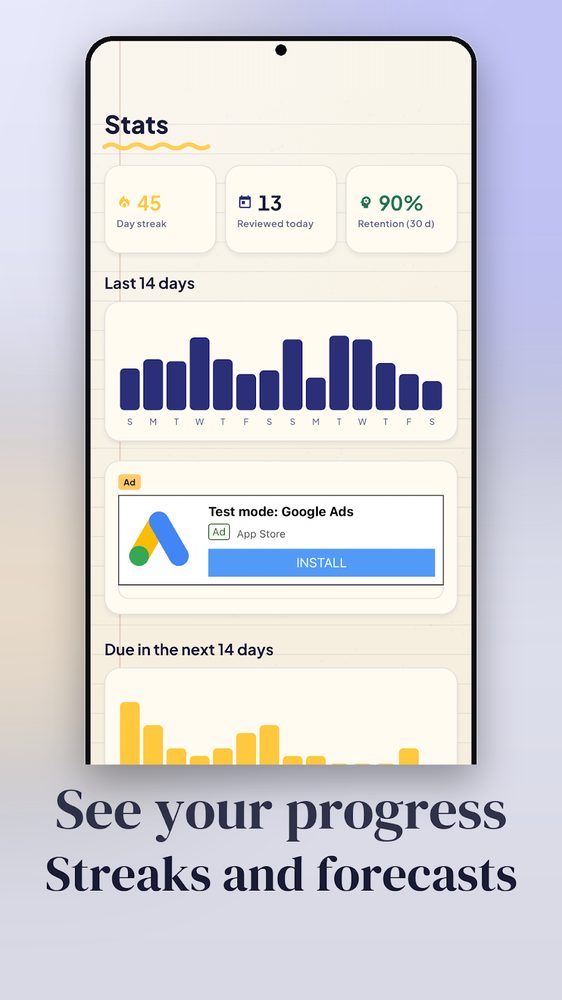
Dev's Biology 101 card on "mitochondria" has an 8-day interval and ease 2.5. On the due day he draws a blank and taps Again. The app counts a lapse, lowers the ease to 2.3 and shows the card again after 1 minute. He taps Good (next step, 10 minutes), then Good once more: the card is back in review with a 4-day interval (8 x 0.5). Four days later Good gives 9 days (4 x 2.3 = 9.2). The Stats screen (fourth screenshot) shows the day as reviewed cards and feeds the 30-day retention figure. A card he keeps failing is a hint to rewrite it, not to press Good faster.
Minh imports a 30-row vocabulary sheet
Minh exports a spreadsheet as CSV with front, back and an optional note column: 30 rows, 2 of which have an empty back. He opens a deck, uses the menu's Import CSV and picks the file; rows missing a front or back are skipped, so 28 cards are added. The default limit is 20 new cards per deck per day, so the deck list shows 20 new today and the remaining 8 appear the next day. He can change the limit per deck. Later he uses Export CSV to get the same text back, and Settings, then backup, to save a JSON file that also contains progress.
What Memora does and does not do
The Memora Google Play listing and app source checked for this guide support decks, front/back text cards with optional notes, card templates, search, CSV import/export, and JSON backup/restore. Review supports button ratings or swipes and undoing the last answer. You can set daily limits per deck and enable an optional reminder.
Memora uses an SM-2-style schedule with learning steps, not an AI tutor. Its own Learn section explains that it cannot know what you find important. Cards are text only: drawings, images, and audio are not supported. There is no account-based cloud sync; moving your collection means exporting and restoring a file.
We recommend Memora for learners who want personal text decks on an Android phone: vocabulary prompts, terminology, formula reminders, or questions drawn from a course. Choose another workflow if your essential material is spoken pronunciation, labeled diagrams, or shared classroom administration. Flashcards should support reading, discussion, and problem solving rather than become your entire study plan.
How does Memora compare with Anki and Quizlet?
These are workflow differences, not a ranking. The official documentation below was checked in November 2026; platform details can change.
- Memora: local text decks, response-based scheduling, CSV exchange, and file backups. We recommend it when those boundaries match your needs.
- Anki: its official manual describes support for images, audio, videos, and scientific markup. Consider that feature set when your cards need media.
- Quizlet: its official offline guide describes downloaded sets in mobile apps and syncing offline progress after reconnecting. Check the download status of a needed set before leaving your connection.
Anki’s manual puts its basic interaction clearly:
“Active recall testing means being asked a question and trying to remember the answer.”
— Anki, Anki Manual
Quizlet’s offline guide states:
“Your offline study progress is saved on your device.”
— Quizlet, Quizlet Help Centre
Offline availability alone therefore does not distinguish every flashcard app. Compare how you create cards, whether your content needs media, and how you recover your work when a device changes.
How Memora differs from other apps
We make Memora, so read these as checkable facts rather than a ranking.
- No account, no signup. You create a deck and start. Decks are stored in a local database on the phone; moving them means a JSON backup file, not a login.
- Small permission list. The Android manifest requests internet and network state (for ads and analytics), notifications (the optional reminder), boot completed (to restore the reminder) and vibration. No storage, contacts, camera or microphone permission; CSV and JSON files go through the system file picker and share sheet.
- No ads on the study screen. Ads appear on the deck list, deck screen, Stats and Settings. The review screen has none, and the source only allows an interstitial after a completed session. The app is ad-supported; this is the trade-off for being free.
- Predictable scheduling. SM-2 style with learning steps, and deliberately no random fuzz: the same ratings on the same dates produce the same intervals. Late reviews earn part of the delay: a card with a 10-day interval reviewed 4 days late gets 30 days on Good ((10 + 4/2) x 2.5), 12 on Hard.
- Forgiving streak. The streak survives one rest day, and the study day rolls over at 4 a.m., so a late-night session still counts for the day you started.
- Per-deck limits, CSV in and out. New and review limits can be set per deck (defaults 20 new and 200 reviews a day), and the CSV format has a note column.
When to pick something else. Choose Anki when cards need images, audio or video, or you want desktop and cloud sync; choose Quizlet when you want sets shared with a class. Memora is text-only, Android-focused and has no account-based sync, so it is a weaker fit for pronunciation, diagrams or collaborative decks.
Get started in three steps
- Create a focused deck. Choose a topic you are actively learning. Add front and back text, with an optional note. Use Save & next when entering related cards, but stop before copying a whole textbook into prompts.
- Review what is due. Attempt each answer before flipping. Use Again for a missed answer; distinguish difficult recall from comfortable recall with the other ratings. Undo the last answer if you tapped the wrong option.
- Make the routine recoverable. Set a manageable new-card limit, optionally enable the reminder, and export a full backup. Revisit confusing cards instead of responding to a growing queue by adding more material.
What does offline mean for privacy and backups?
The store wording is straightforward: works offline, no account needed. Specifically, your decks stay on your device and reviewing them does not require a login. That statement should not be expanded into a claim that the entire app has no network-related components: the source includes AdMob and Firebase Analytics integration, and the listing identifies ads.
For backups, use JSON when you want decks, cards, and progress together; use CSV for exchanging card text with a spreadsheet. Store a backup somewhere you can reach if the phone is lost. Restoring replaces the current collection, so check the selected file and preserve your existing data first. Without a backup, losing the phone or uninstalling can mean losing the collection.
Our preference is to start with a modest deck and a dependable backup habit. See Memora’s app overview or browse our apps and community tools. For a related product idea, our studio services page explains how to work with us; send us a note when you want to discuss it.
FAQ
Does Memora work without an internet connection?
Yes, the core flashcard and review workflow works offline, and no account is required. Keep a separate backup because offline storage does not automatically provide recovery on another device.
Does spaced repetition guarantee that I will remember everything?
No. Research supports spacing and retrieval practice, but it does not validate a guarantee for an individual learner or this app. Treat review intervals as estimates and repair unclear cards.
Can I add pictures or pronunciation audio?
Memora currently supports text cards with an optional note. Images, drawings, and audio are not supported, so choose a media-capable tool when those are central to your learning.
Can I move my cards to another phone?
You can export a full JSON backup and restore it on another device running Memora. There is no account-based cloud sync, and restoring replaces the destination collection.
What should I do after missing study sessions?
We recommend resuming with due cards and keeping new additions modest. Rate what you can recall now, and rewrite prompts that repeatedly confuse you rather than treating the backlog as a personal failure.
Sources
- Memora: Offline Flashcards — Google Play
- Cepeda and colleagues: Distributed Practice in Verbal Recall Tasks
- Murre and Dros: Replication and Analysis of Ebbinghaus’ Forgetting Curve
- Roediger and Karpicke: Test-Enhanced Learning
- Anki Manual: Background
- Quizlet Help Centre: Studying offline with Quizlet mobile apps
Comments
Loading comments…